
The router component allows to define routes that are mapped to the
controllers or handlers that should receive the request. A router parses
a URI as per the information received.
Every router in the web application has two modes −
 Consider creating a route which will call a method login as we invoke “UsersController”. In such a case, it is suggested to create a route which maps the given URL.
Every router in the web application has two modes −
- MVC mode
- Match-only mode
$router = new Router();

// Define a route

$router->add(
   "<URI-Name>",
   [
      "controller" => "<controller-name>",
      "action"     => "<action-name>",
   ]
);
Example
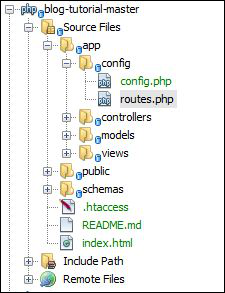
For searching a category, let us create a route in routes.php of config folder.
Consider creating a route which will call a method login as we invoke “UsersController”. In such a case, it is suggested to create a route which maps the given URL.<?php $router = new Phalcon\Mvc\Router(); $router->add('/login', array( 'controller' => 'users', 'action' => 'login', )); return $router;
Output
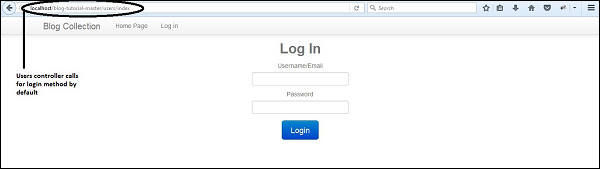
The code will produce the following output −

No comments:
Post a Comment