
React keys are useful when working with dynamically created components or when your lists are altered by users. Setting the key value will keep your components uniquely identified after the change.
 If we add or remove some elements in the future or change the order of the dynamically created elements, React will use the key values to keep track of each element.
Using Keys
Let's dynamically create Content elements with unique index (i). The map function will create three elements from our data array. Since key value needs to be unique for every element, we will assign i as a key for each created element.App.jsx
import React from 'react';

class App extends React.Component {
   constructor() {
      super();

      this.state = {
         data:
         [
            {
               component: 'First...',
               id: 1
            },

            {
               component: 'Second...',
               id: 2
            },

            {
               component: 'Third...',
               id: 3
            }
         ]
      }

   }

   render() {
      return (
         <div>
            <div>
               {this.state.data.map((dynamicComponent, i) => <Content
                  key = {i} componentData = {dynamicComponent}/>)}
            </div>
         </div>
      );
   }
}

class Content extends React.Component {
   render() {
      return (
         <div>
            <div>{this.props.componentData.component}</div>
            <div>{this.props.componentData.id}</div>
         </div>
      );
   }
}

export default App;
main.js
import React from 'react';
import ReactDOM from 'react-dom';
import App from './App.jsx';

ReactDOM.render(<App/>, document.getElementById('app'));
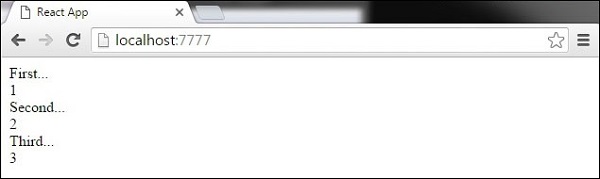
We will get the following result for the Key values of each element.
If we add or remove some elements in the future or change the order of the dynamically created elements, React will use the key values to keep track of each element.

No comments:
Post a Comment