
In this chapter, we will discuss the database connectivity related to Phalcon.
Database Name: blog-tutorial
Query used for creating the database −
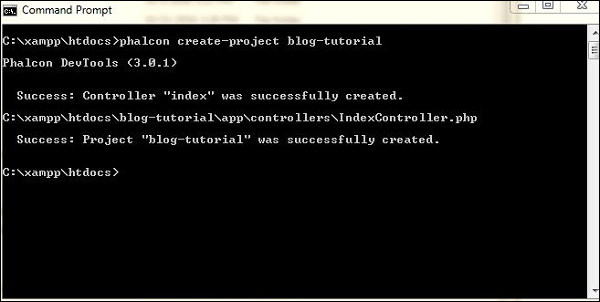
 Phalcon uses commands for creation of models, controllers, and even projects. Let’s see how it works.
Step 1 − Create a project named blog-tutorial.
 Step 2 − Configure the web application that connects to the database which we created for managing blogs.
Creation of Database and Design
We will focus on creating a database for blogs which maintains posts along with the categories as per the entries of users.Database Name: blog-tutorial
Query used for creating the database −
drop database blog-tutorial (if exists)
create database blog-tutorial
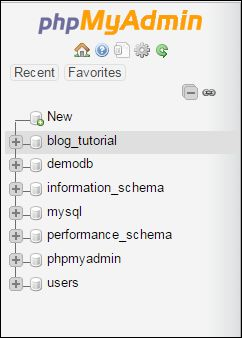
After creation of the database, the database will be listed as shown in the following screenshot.
Phalcon uses commands for creation of models, controllers, and even projects. Let’s see how it works.Step 1 − Create a project named blog-tutorial.
Step 2 − Configure the web application that connects to the database which we created for managing blogs.<?php return new \Phalcon\Config (array ( 'database' => array ( 'adapter' => 'Mysql', 'host' => 'localhost', 'username' => 'root', // 'dbname' => 'blog_tutorial', 'password' => '', 'name' => 'blog_tutorial', ), 'application' => array ( 'controllersDir' => __DIR__ . '/../../app/controllers/', 'modelsDir' => __DIR__ . '/../../app/models/', 'viewsDir' => __DIR__ . '/../../app/views/', 'baseUri' => '/blog-tutorial/', ) ));


No comments:
Post a Comment