
Jasmine is a testing framework, hence it always aims to compare the
result of the JavaScript file or function with the expected result.
Matcher works similarly in Jasmine framework.
Matchers are the JavaScript function that does a Boolean comparison between an actual output and an expected output. There are two type of matchers Inbuilt matcher and Custom matchers.
The following example shows how Inbuilt Matcher works in Jasmine framework. We have already used some matchers in the previous chapter.
Matchers are the JavaScript function that does a Boolean comparison between an actual output and an expected output. There are two type of matchers Inbuilt matcher and Custom matchers.
Inbuilt Matcher
The matchers which are inbuilt in the Jasmine framework are called inbuilt matcher. The user can easily use it implicitly.The following example shows how Inbuilt Matcher works in Jasmine framework. We have already used some matchers in the previous chapter.
describe("Adding single number ", function (){

   //example of toEqual() matcher
   it("should add numbers",function(){
      expect(nested.add(5)).toEqual(5);
      expect(nested.add(5)).toEqual(10);
   });

   it("should add numbers",function(){
      expect(nested.addAny(1,2,3)).toEqual(6);
   });

}
In the example toEqual() is the inbuilt matcher which will compare the result of the add() and addAny() methods with the arguments passed to toEqual() matchers.
Custom Matchers
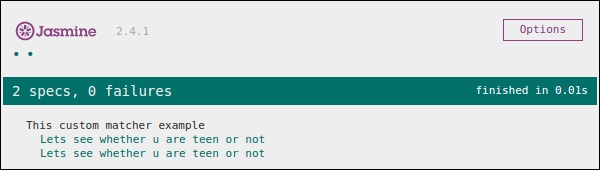
The matchers which are not present in the inbuilt system library of Jasmine is called as custom matcher. Custom matcher needs to be defined explicitly(). In the following example, we will see how the custom matcher works.describe('This custom matcher example', function() { beforeEach(function() { // We should add custom matched in beforeEach() function. jasmine.addMatchers ({ validateAge: function() { Return { compare: function(actual,expected) { var result = {}; result.pass = (actual > = 13 && actual < = 19); result.message = 'sorry u are not a teen '; return result; } }; } }); }); it('Lets see whether u are teen or not', function() { var myAge = 14; expect(myAge).validateAge(); }); it('Lets see whether u are teen or not ', function() { var yourAge = 18; expect(yourAge).validateAge(); }); });In the above example, validateAge() works as a matcher which is actually validating your age with some range. In this example, validateAge() works as a custom matcher. Add this JS file into SpecRunner.html and run the same. It will generate the following output.


No comments:
Post a Comment