
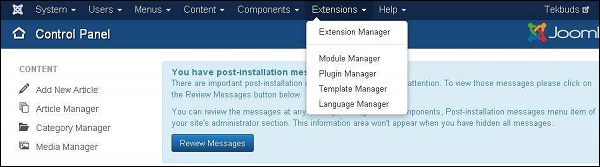
In this chapter, we will study about Extensions Menu in Joomla. Click on Extensions, a dropdown menu as shown below will be displayed −
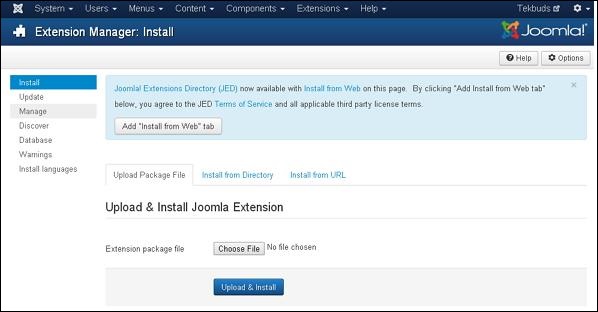
Click Extensions → Extension Manager, a screen as shown below will get displayed.
 You can study more about Extension Manager in the chapter Joomla - Extension Manager.
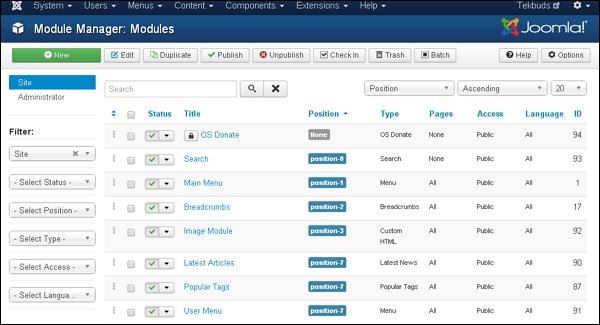
Click Extensions → Module Manager, a screen as shown below will get displayed.
 You will study more about Module Manager in the chapters under section Joomla Modules.
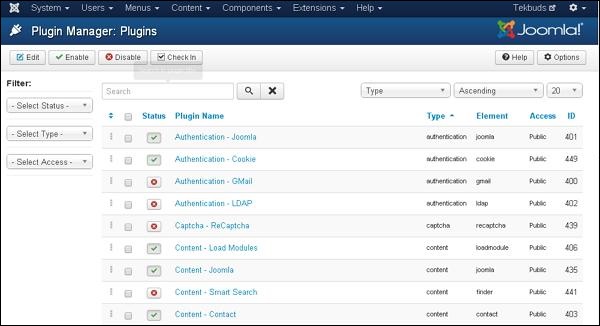
Click Extensions → Plugin Manager, a screen as shown below will get displayed.
 You can study more about Plugin Manager in the chapter Joomla - Plugin Manager.
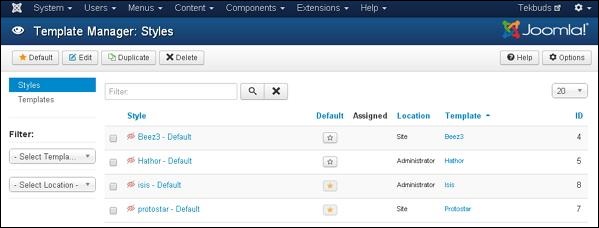
Click Extensions → Template Manager, a screen as shown below will get displayed −
 You can study more about Template Manager in the chapter Joomla - Template Manager.
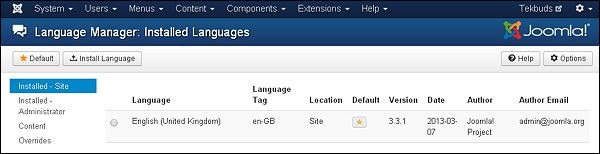
Click Extensions → Language Manager, a screen as shown below will get displayed.
 You can study more about Language Manager in detail in the chapter Joomla - Language Manager.
Extension Manager
Extension Manager is used to extend the functionality of Joomla website.Click Extensions → Extension Manager, a screen as shown below will get displayed.
You can study more about Extension Manager in the chapter Joomla - Extension Manager.Module Manager
It manages the modules that are installed on the site i.e. the location and function of modules.Click Extensions → Module Manager, a screen as shown below will get displayed.
You will study more about Module Manager in the chapters under section Joomla Modules.Plugin Manager
It manages the Joomla plugins and allows to enable/disable or edit the details of plugins.Click Extensions → Plugin Manager, a screen as shown below will get displayed.
You can study more about Plugin Manager in the chapter Joomla - Plugin Manager.Template Manager
It manages the designs that are used in the website. The templates can be implemented without changing the content structure within a few seconds.Click Extensions → Template Manager, a screen as shown below will get displayed −
You can study more about Template Manager in the chapter Joomla - Template Manager.Language Manager
This helps you set a default language for your site.Click Extensions → Language Manager, a screen as shown below will get displayed.
You can study more about Language Manager in detail in the chapter Joomla - Language Manager.

No comments:
Post a Comment