
Jasmine provides a different variety of method to check whether the actual output is Null, defined or undefined. In this chapter, we will learn how to implement different Jasmine methods to check the above-mentioned scenarios.
 Again in the above example, let us remove the first line, where we actually define “currentVal” and run again. Then we will get a red screen, which means the test actually fails because we are expecting an undefined value to be defined. The following screenshot will be the output file.
 Again let us define the variable with some predefined value and see whether it will throw an error or not. The new customerMatcher.js looks like the following.
 Now let us test by providing some defined value other than null. Please modify the customerMatcher.js file accordingly.
toBedefined()
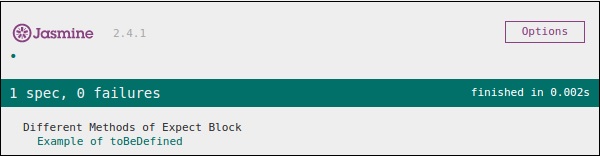
This matcher is used to check whether any variable in the code is predefined or not. Let us modify our customerMatcherSpec.js file according to this example.currentVal = 0; describe("Different Methods of Expect Block",function (){ it("Example of toBeDefined", function (){ expect(currentVal).toBeDefined(); }); });In the above code, toBeDefined() will check whether the variable currentVal is defined in the system or not. As currentVal is defined to 0 in the beginning, this test will pass and generate a green screenshot as an output.
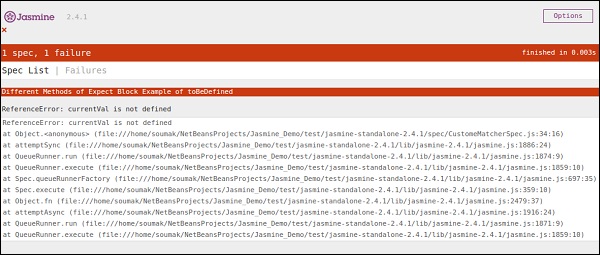
Again in the above example, let us remove the first line, where we actually define “currentVal” and run again. Then we will get a red screen, which means the test actually fails because we are expecting an undefined value to be defined. The following screenshot will be the output file.
toBeUndefined()
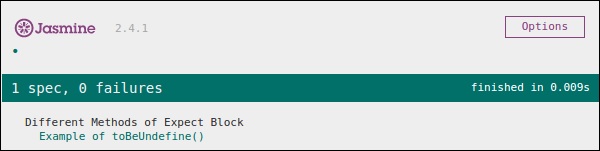
This matcher helps to check whether any variable is previously undefined or not, basically it works simply opposite to the previous matcher that is toBeDefined. In the following example, we will learn how to use this matcher. Let us modify our Spec file, i.e. customerMatcher.js file with the following entry.describe("Different Methods of Expect Block",function (){ it("Example of toBeUndefine()", function (){ var undefineValue; expect(undefineValue).toBeUndefined(); }); });In the above section, we will verify whether our variable “undefineValue” is actually undefined or not. After adding this file into the SpecRunner, we will receive a green color screenshot as an output, which tells us that this value is actually not defined previously.
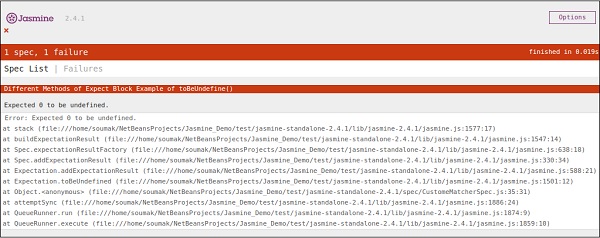
Again let us define the variable with some predefined value and see whether it will throw an error or not. The new customerMatcher.js looks like the following.describe("Different Methods of Expect Block",function (){ it("Example oftoBeUndefine()", function (){ var undefineValue = 0; expect(undefineValue).toBeUndefined(); }); });The above piece of code will throw an error and generate a red color screenshot because we have already defined the “undefineValue” value to “0” and expecting it to be not defined. The following screenshot will be generated on run SpecRunner.html file.
toBeNull()
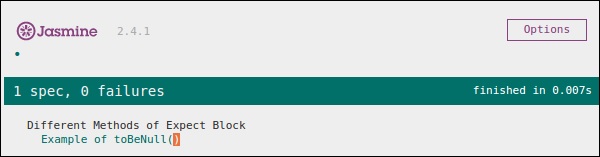
As the name signifies this matcher helps to check null values. Let us again modify our customerMatcherSpec.js file with the following piece of code.describe("Different Methods of Expect Block",function (){ var value = null; it("Example of toBeNull()", function (){ expect(value).toBeNull(); }); });In the above code, we have mentioned one variable ”value” and we have explicitly mentioned this value as null. In the expect block, the toBeNull() matcher will check this value and give us the result accordingly. Following is the output of the above-mentioned code when it is run through the help of the SpecRunner.html file.
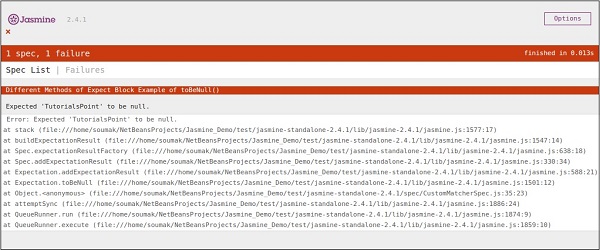
Now let us test by providing some defined value other than null. Please modify the customerMatcher.js file accordingly.describe("Different Methods of Expect Block",function (){ var value = "TutorialsPoint"; it("Example of toBeNull()", function (){ expect(value).toBeNull(); }); });In the above example, we have modified the variable value with “TutorialsPoint” which is not a null value. Hence, this test will fail and produce a red screenshot as an output.


No comments:
Post a Comment