
In this chapter, we will study about Joomla Cache Manager. You
can install the cache controller plug-in which helps to improve the
performance of Joomla. You can also turn off the cache on the particular
pages and component.
Step (1) − Click on Cache Management in Joomla Global Configuration. You will get the screen as shown below.
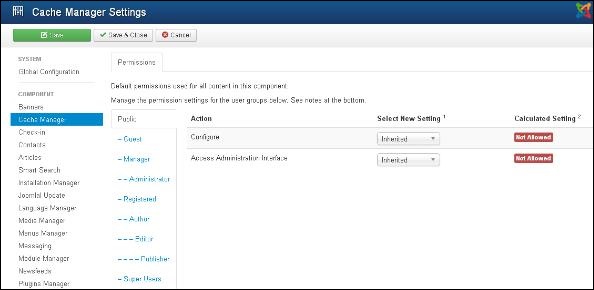 Following are the details of the fields present in the Joomla Cache Management page −
Joomla Cache Management
Following are the simple steps used to set up the Joomla cache manager −Step (1) − Click on Cache Management in Joomla Global Configuration. You will get the screen as shown below.
Following are the details of the fields present in the Joomla Cache Management page −- Configure − It is used to select the system for which your site should be used for caching. It also caches your PHP opcode.
- Access Administration Interface − It allows users to access the administration interface.
Toolbar
Following are the toolbar options in Cache Management.- Save − Saves your Cache Manager Setting.
- Save & Close − Saves the Cache Manager Setting and closes the current screen.
- Cancel − Cancels the Cache Manager Setting in Joomla.


No comments:
Post a Comment