
In this chapter, we will study about Category Management in Joomla. Category Manager is used to create categories for the article which allow grouping your content better.
Step (1) − Click on Category Manager in Control Panel as shown below.
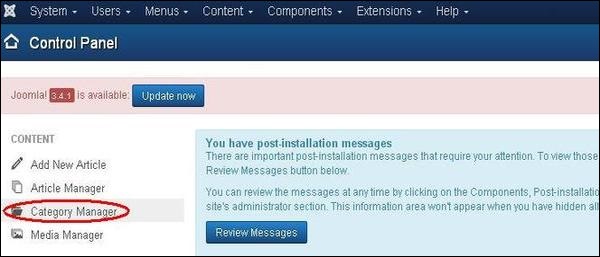 Step (2) − After clicking on a Category Manager, you will get the following screen.
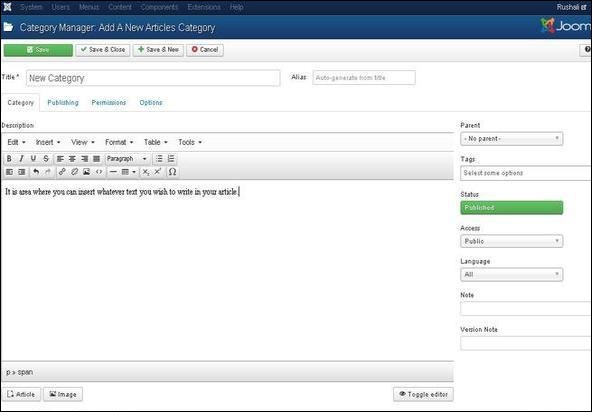
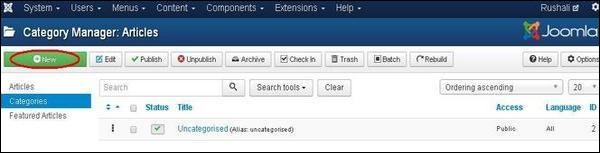 Step (3) − Click on New button in the above screen. Following is the basic editor page we get for category manager. This editor is explained in detail in the article Joomla - Adding Content. Different tabs are present on this page. By default, the Category tab is displayed.
 Step (4) − In Publishing tab, it gives the information of Joomla category.
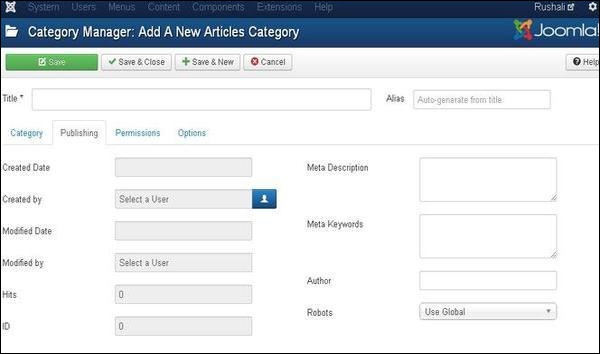 Following are the details of the fields present in the Publishing tab.
Category Management
Following are the simple steps to add new category manager in Joomla.Step (1) − Click on Category Manager in Control Panel as shown below.
Step (2) − After clicking on a Category Manager, you will get the following screen.
Step (3) − Click on New button in the above screen. Following is the basic editor page we get for category manager. This editor is explained in detail in the article Joomla - Adding Content. Different tabs are present on this page. By default, the Category tab is displayed.
Step (4) − In Publishing tab, it gives the information of Joomla category.
Following are the details of the fields present in the Publishing tab.- Created Date − It is the date the category was created.
- Created by − It is the name of the user who has created the category.
- Modified Date − It is the date the category was modified.
- Modified by − It is the name of the user who has modified the category.
- Hits − Specifies the number of times the item was viewed.
- ID − It is the unique identification number assigned to the items automatically.
- Meta Description − It is used to write an explanation of the contents of web pages.
- Meta Keywords − Define keywords for search engines.
- Author − Specifies the name of the author within the metadata.
- Robots − It is the instruction given to the robots that browse the page using commands such as Use Global, Index, Follow, No index, No follow.
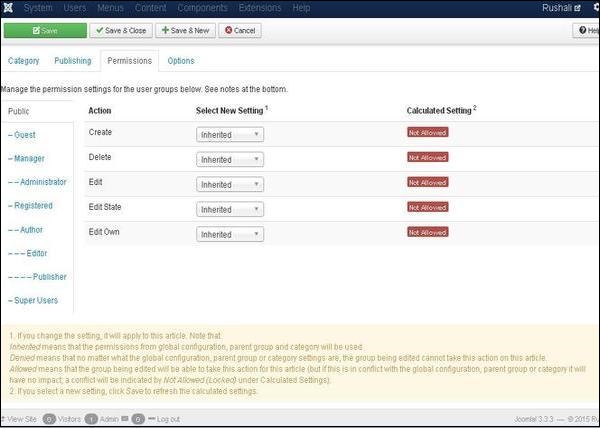
- Create − It allows the users in a group to create the categories.
- Delete − It allows the users in a group to delete the categories present in the extension.
- Edit − It allows the users in a group to edit the categories present in the extension.
- Edit State − It allows the users in a group to change the state of categories present in the extension.
- Edit Own − It allows editing the categories which is created by own.
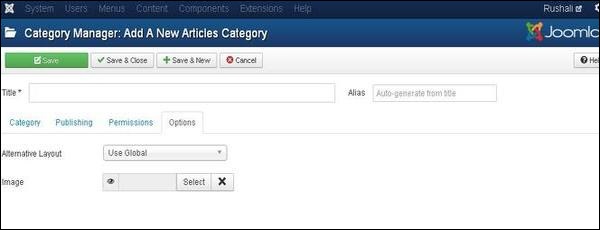
- Alternative Layout − It uses an alternative layout from the supplied component view such as Use Global, Blog and List.
- Image− It selects the image to be displayed.
Toolbar
Following are the toolbar options in the Category Management.- Save − Saves your category.
- Save & Close − Saves the category and closes the current screen.
- Save & New − Saves the categories and opens a new create category screen.
- Cancel − Cancels the created category in Joomla.


No comments:
Post a Comment