
Jasmine spy is another functionality which does the exact same as its name specifies. It will allow you to spy on your application function calls. There are two types of spying technology available in Jasmine. The first methodology can be implemented by using spyOn() and the second methodology can be implemented using createSpy(). In this chapter, we will learn more about these two methodologies.
Take a look at the Spec file where you can see that we have used spyOn() function, which actually mimics the functionality of the hello and world function. Hence, we are not actually calling the function but mimicking the function call. That is the specialty of Spies. The above piece of code will yield the following output.
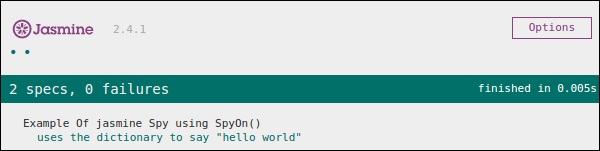
The above code will generate the following output.
spyOn()
spyOn() is inbuilt into the Jasmine library which allows you to spy on a definite piece of code. Let us create a new spec file “spyJasmineSpec.js” and another js file named as “spyJasmine.js”. Following is the entry of these two files.SpyJasmine.js
var Person = function() {};

Person.prototype.sayHelloWorld = function(dict){
   return dict.hello() + " " + dict.world();
};

var Dictionary = function() {};

Dictionary.prototype.hello = function() {
   return "hello";
};

Dictionary.prototype.world = function() {
   return "world";
};
SpyJasmineSpec.js
describe("Example Of jasmine Spy using spyOn()", function() {

   it('uses the dictionary to say "hello world"', function() {
      var dictionary = new Dictionary;
      var person = new Person;

      spyOn(dictionary, "hello");  // replace hello function with a spy
      spyOn(dictionary, "world");  // replace world function with another spy

      person.sayHelloWorld(dictionary);
      expect(dictionary.hello).toHaveBeenCalled();
      // not possible without first spy

      expect(dictionary.world).toHaveBeenCalled();
      // not possible withoutsecond spy
   });

});
In the above piece of code, we want person object to say “Hello world” but we also want that person object should consult with dictionary object to give us the output literal “Hello world”.
Take a look at the Spec file where you can see that we have used spyOn() function, which actually mimics the functionality of the hello and world function. Hence, we are not actually calling the function but mimicking the function call. That is the specialty of Spies. The above piece of code will yield the following output.
createSpy()
Another method of obtaining the spying functionality is using createSpy(). Let us modify our two js files using the following code.SpyJasmine.js
var Person = function() {};

Person.prototype.sayHelloWorld = function(dict) {
   return dict.hello() + " " + dict.world();
};

var Dictionary = function() {};

Dictionary.prototype.hello = function() {
   return "hello";
};

Dictionary.prototype.world = function() {
   return "world";
};
SpyJasmineSpec.js
describe("Example Of jasmine Spy using Create Spy", function() {

   it("can have a spy function", function() {
      var person = new Person();
      person.getName11 = jasmine.createSpy("Name spy");
      person.getName11();
      expect(person.getName11).toHaveBeenCalled();
   });

});
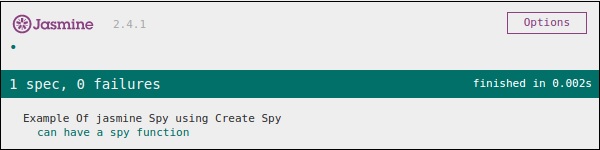
Take a look at the spec file, we are calling the getName11() of the Person object. Although this function is not present in the person object in spy Jasmine.js, we are not getting any error and hence the output is green and positive. In this example, createSpy() method actually mimics the functionality of the getName11().
The above code will generate the following output.


No comments:
Post a Comment