
In this chapter, we will study about Plugin Manager in Joomla. It helps you enable and disable Joomla Plugins. This adds the unique features to an existing web site.
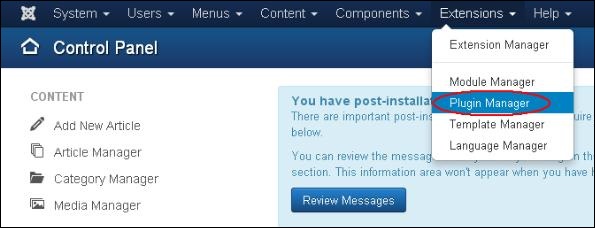
Step (1) − Click on Extension → Plugin Manager in Joomla administrator as shown below.
 Step (2) − After clicking on the Plugin Manager, an existing Joomla plugins will be displayed as shown below.
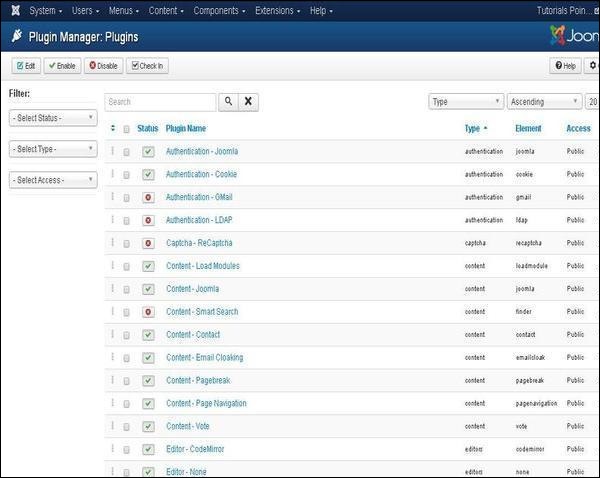
Joomla Plugin Manager
Following are the simple steps to set or edit existing Joomla Plugins −Step (1) − Click on Extension → Plugin Manager in Joomla administrator as shown below.
Step (2) − After clicking on the Plugin Manager, an existing Joomla plugins will be displayed as shown below.
Toolbar
Following are the toolbar options in the Plugin −- Edit − Edit the plug-in.
- Enable − Enable the plug-in to use on the website.
- Disable − Disable the plug-in which are not necessary on the website.
- Check In − Used to check in the plug-in and after completing the process displays the successful message.


No comments:
Post a Comment