
Layout files are useful in rendering front pages of Magento. Using Magento, it's easy to change the layout of pages.
This chapter describes how to setup the layout of Magento pages:
Step (1): Login to your Magento Admin Panel.
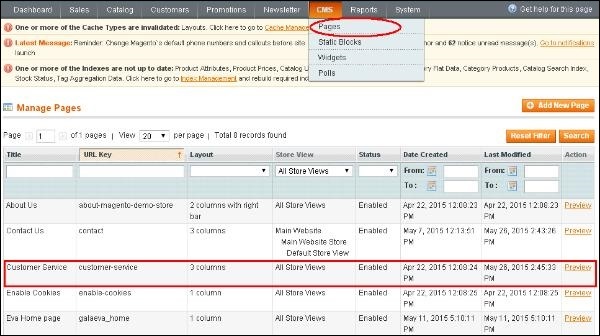
Step (2): Go to CMS menu and click on the Pages option to list out all the pages of Magento. Select the page which you want to change the layout of.
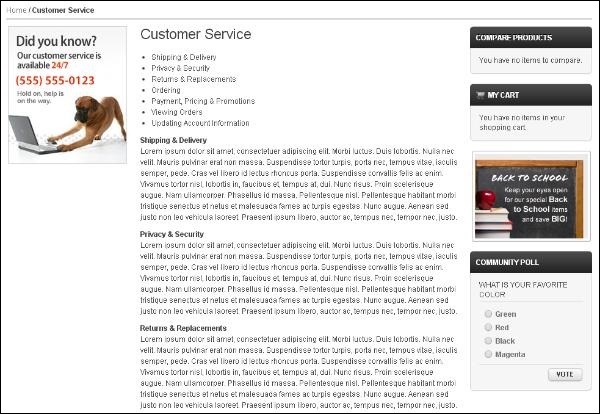
 Step (3): Click on the Preview button to see structure of the page.
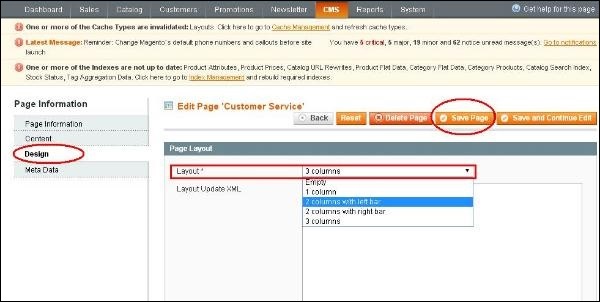
 Step (4): To see the layout of the page, click on the 3 columns option under Layout column. It will open the Page Information section and click the Design option. Select the option as per your choice in the Layout field and click the Save Page button to apply the changes.
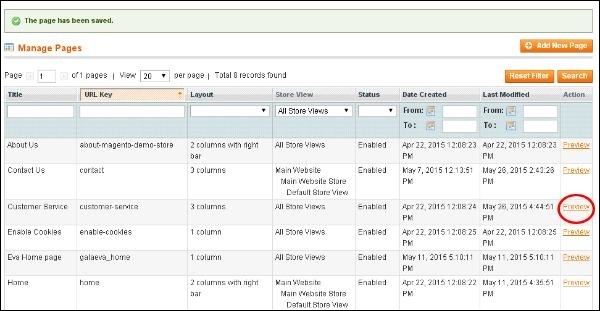
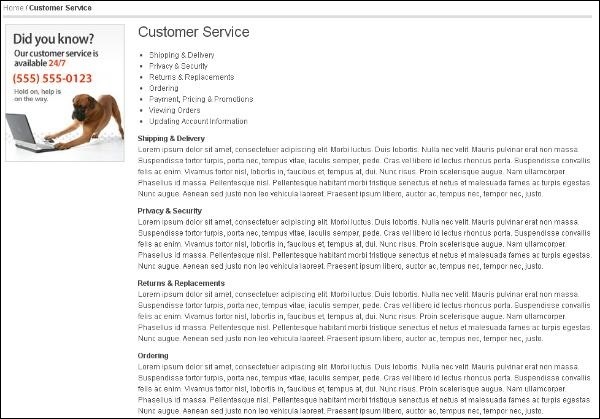
 Step (5): When you click on the Preview link, it will display the changed layout of the page as shown in the screen.
This chapter describes how to setup the layout of Magento pages:
Step (1): Login to your Magento Admin Panel.
Step (2): Go to CMS menu and click on the Pages option to list out all the pages of Magento. Select the page which you want to change the layout of.
Step (3): Click on the Preview button to see structure of the page.
Step (4): To see the layout of the page, click on the 3 columns option under Layout column. It will open the Page Information section and click the Design option. Select the option as per your choice in the Layout field and click the Save Page button to apply the changes.
Step (5): When you click on the Preview link, it will display the changed layout of the page as shown in the screen.


No comments:
Post a Comment