
Redirecting to Named Routes
Named route is used to give specific name to a route. The name can be assigned using the “as” array key.Route::get('user/profile', ['as' => 'profile', function () {
//
}]);
Note − Here, we have given the name “profile” to a route “user/profile”.Example
Step 1 − Create a view called test.php and save it at resources/views/test.php.<html> <body> <h1>Example of Redirecting to Named Routes</h1> </body> </html>Step 2 − In routes.php, we have set up the route for test.php file. We have renamed it to “testing”. We have also set up another route “redirect” which will redirect the request to the named route “testing”.
app/Http/routes.php
Route::get('/test', ['as'=>'testing',function(){
   return view('test2');
}]);
Route::get('redirect',function(){
   return redirect()->route('testing');
});
Step 3 − Visit the following URL to test the named route example.http://localhost:8000/redirect
Step 4 − After execution of the above URL, you will be redirected to http://localhost:8000/test as we are redirecting to the named route “testing”.
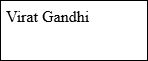
Step 5 − After successful execution of the URL, you will receive the following output −
Redirecting to Controller Actions
Not only named route but we can also redirect to controller actions. We need to simply pass the controller and name of the action to the action method as shown in the following example. If you want to pass a parameter, you can pass it as second argument of action method.return redirect()->action(‘NameOfController@methodName’,[parameters]);
Example
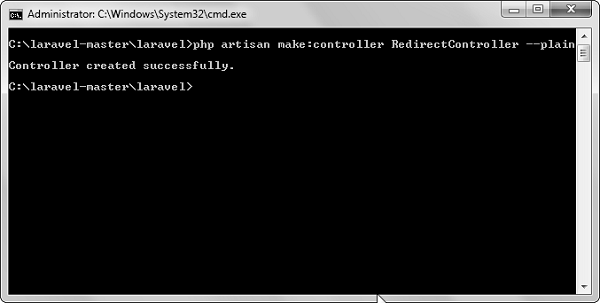
Step 1 − Execute the below command to create a controller called RedirectController.php artisan make:controller RedirectController --plainStep 2 − After successful execution, you will receive the following output −
 Step 3 − Copy the following code to file app/Http/Controllers/RedirectController.php.
app/Http/Controllers/RedirectController.php
<?php
namespace App\Http\Controllers;
use Illuminate\Http\Request;
use App\Http\Requests;
use App\Http\Controllers\Controller;

class RedirectController extends Controller {
   public function index(){
      echo "Redirecting to controller's action.";
   }
}
Step 4 − Add the following lines in app/Http/routes.php.app/Http/routes.php
Route::get('rr','RedirectController@index');
Route::get('/redirectcontroller',function(){
   return redirect()->action('RedirectController@index');
});
Step 5 − Visit the following URL to test the example.http://localhost:8000/redirectcontroller
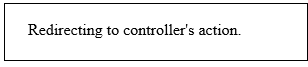
Step 6 − The output will appear as shown in the following image.


No comments:
Post a Comment