Description
Guards are used to match simple values or number of arguments on
expressions. It is applied to the CSS selectors. It is syntax for
declaring mixin and calling it immediately. To successfully bring out
the
if type statement; join this with feature
&, which allows you to group multiple guards.
Example
The below example demonstrate use of css guard in the LESS file:
css_guard.htm
<!doctype html>
<head>
   <link rel="stylesheet" href="style.css" type="text/css" />
</head>
<body>
<div class="cont">
   <h2>Welcome to TutorialsPoint</h2>
</div>
<div class="style">
   <h3>The largest Tutorials Library on the web.</h3>
</div>
</body>
</html>
Next, create file
style.less
style.less
@usedScope: global;
.mixin() {
  @usedScope: mixin;
  .cont when (@usedScope=global) {
    background-color: red;
    color: black;
  }
  .style when (@usedScope=mixin) {
    background-color: blue;
    color: white;
  }
  @usedScope: mixin;
}
.mixin();
You can compile the
style.less file to
style.css by using the following command:
lessc style.less style.css
Next execute the above command, it will create
style.css file automatically with the below code:
style.css
.style {
  background-color: blue;
  color: white;
}
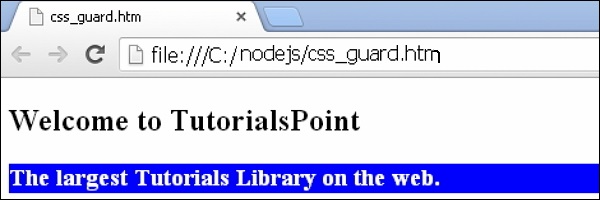
Output
Let's carry out the following steps to see how above code works:
- Save the above html code in css_guard.htm file.
- Open this HTML file in a browser, an output as below gets displayed.


No comments:
Post a Comment