
In this chapter let's study about Parent Selectors. It is possible to reference the parent selector by using &(ampersand) operator. Parent selectors of a nested rule is represented by & operator and is used when applying a modifying class or pseudo class to an existing selector.
The following table shows the types of parent selector:
 The Parent selectors operator has many uses like, when you
need to combine the nested rule's selectors in other way than the
default. Another typical use of & is to generate class names repeatedly. For more information click here.
The Parent selectors operator has many uses like, when you
need to combine the nested rule's selectors in other way than the
default. Another typical use of & is to generate class names repeatedly. For more information click here.
The following table shows the types of parent selector:
| S.N. | Types & Description |
|---|---|
| 1 | Multiple & The & will represent nearest selector and also all the parent selectors. |
| 2 | Changing Selector Order Prepending a selector to the inherited (parent) selectors is useful when selector ordering is changed. |
| 3 | Combinatorial Explosion The & can also produce all the possible permutation of selectors in a list separated by commas. |
Example
The below example demonstrates use of parent selector in the LESS file:<!doctype html> <head> <link rel="stylesheet" href="style.css" type="text/css" /> <title>Parent Selector</title> </head> <body> <h2>Welcome to TutorialsPoint</h2> <ul> <li><a>SASS</a></li> <li><a>LESS</a></li> </ul> </body> </html>Next, create file style.less
style.less
a {
  color: #5882FA;
  &:hover {
    background-color: #A9F5F2;
  }
}
You can compile the style.less file to style.css by using the following command:
lessc style.less style.cssNext execute the above command, it will create style.css file automatically with the below code:
style.css
a {
  color: #5882FA;
}
a:hover {
  background-color: red;
}
In the above example & refers to selector a.
Output
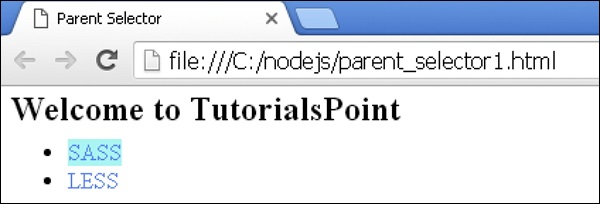
Let's carry out the following steps to see how above code works:- Save the above html code in parent_selector1.htm file.
- Open this HTML file in a browser, an output as below gets displayed.
The Parent selectors operator has many uses like, when you
need to combine the nested rule's selectors in other way than the
default. Another typical use of & is to generate class names repeatedly. For more information click here. 

No comments:
Post a Comment