
Creating Cookie
Cookie can be created by global cookie helper of Laravel. It is an instance of Symfony\Component\HttpFoundation\Cookie. The cookie can be attached to the response using the withCookie() method. Create a response instance of Illuminate\Http\Response class to call the withCookie() method. Cookiegenerated by the Laravel are encrypted and signed and it can’t be modified or read by the client.
Here is a sample code with explanation.
//Create a response instance
$response = new Illuminate\Http\Response('Hello World');

//Call the withCookie() method with the response method
$response->withCookie(cookie('name', 'value', $minutes));

//return the response
return $response;
Cookie() method will take 3 arguments. First argument is the name of the cookie, second argument is the value of the cookie and the third argument is the duration of the cookie after which the cookie will get deleted automatically.
Cookie can be set forever by using the forever method as shown in the below code.
$response->withCookie(cookie()->forever('name', 'value'));
Retrieving Cookie
Once we set the cookie, we can retrieve the cookie by cookie() method. This cookie() method will take only one argument which will be the name of the cookie. The cookie method can be called by using the instance of Illuminate\Http\Request.Here is a sample code.
//’name’ is the name of the cookie to retrieve the value of
$value = $request->cookie('name');
Example
Step 1 − Execute the below command to create a controller in which we will manipulate the cookie.php artisan make:controller CookieController --plainStep 2 − After successful execution, you will receive the following output −
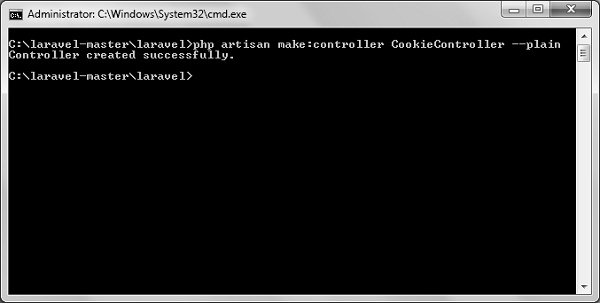 Step 3 − Copy the following code in app/Http/Controllers/CookieController.php file.
app/Http/Controllers/CookieController.php
<?php
namespace App\Http\Controllers;
use Illuminate\Http\Request;
use Illuminate\Http\Response;
use App\Http\Requests;
use App\Http\Controllers\Controller;

class CookieController extends Controller {
   public function setCookie(Request $request){
      $minutes = 1;
      $response = new Response('Hello World');
      $response->withCookie(cookie('name', 'virat', $minutes));
      return $response;
   }
   public function getCookie(Request $request){
      $value = $request->cookie('name');
      echo $value;
   }
}
Step 4 − Add the following line in app/Http/routes.php file.
app/Http/routes.php
Route::get('/cookie/set','CookieController@setCookie');
Route::get('/cookie/get','CookieController@getCookie');
Step 5 − Visit the following URL to set the cookie.http://localhost:8000/cookie/set
Step 6 − The output will appear as shown below. The window appearing in the screenshot is taken from firefox but depending on your browser, cookie can also be checked from the cookie option.
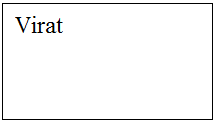
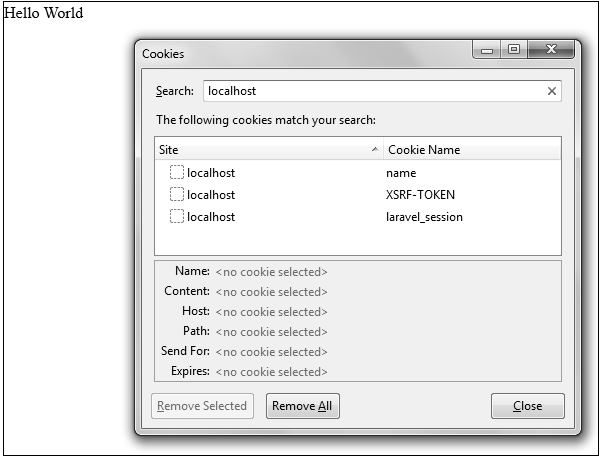 Step 7 − Visit the following URL to get the cookie from the above URL.
http://localhost:8000/cookie/get
Step 8 − The output will appear as shown in the following image.


No comments:
Post a Comment