
Description
The @import directive is used to import the files in the code. It spread the LESS code over different files and allows to maintain the structure of code easily. You can put @import statements anywhere in the code.For instance, you can import the file by using @import keyword as @import "file_name.less".
File Extensions
You can use @import statements depending on the different file extensions such as:- If you are using .css extension, then it will be considered as CSS and @import statement kept as it is.
- If it contains any other extension, then it will be considered as LESS and will be imported.
- If there is no less extension, then it will appended and included as imported less file.
@import "style";      // imports the style.less
@import "style.less"; // imports the style.less
@import "style.php";  // imports the style.php as a less file
@import "style.css";  // it will kept the statement as it is
Example
The below example demonstrates use of variable in the SCSS file:<!doctype html> <head> <title>Import Directives</title> <link rel="stylesheet" href="style.css" type="text/css" /> </head> <body> <h2>Example of Import Directives</h2> <p class="myline">Welcome to Tutorialspoint...</p> </body> </html>Next, create file import_dir.less.
import_dir.less
.myline {
 font-size: 20px;
}
Next, create file style.less.
style.less
@import "http://www.tutorialspoint.com/less/import_dir.less";
.myline {
  color:#FF0000;
}
The import_dir.less file will get imported into style.less file from the path http://www.tutorialspoint.com/less/import_dir.less.
You can compile the style.less to style.css by using the following command:
lessc style.less style.cssNext execute the above command, it will create style.css file automatically with the below code:
style.css
.myline {
  font-size: 20px;
}
.myline {
  color: #FF0000;
}
Output
Let's carry out the following steps to see how above code works:- Save above html code in import_directives.html file.
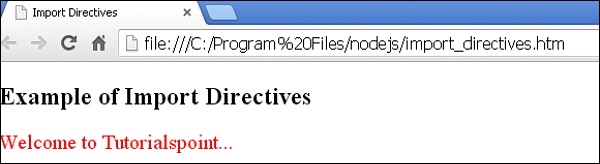
- Open this HTML file in a browser, an output as below gets displayed.


No comments:
Post a Comment