
Localization feature of Laravel supports different language to be
used in application. You need to store all the strings of different
language in a file and these files are stored at resources/views
directory. You should create a separate directory for each supported
language. All the language files should return an array of keyed strings
as shown below.
 Step 6 − Copy the following code to file app/Http/Controllers/LocalizationController.php
app/Http/Controllers/LocalizationController.php
app/Http/routes.php
http://localhost:8000/localization/en
Step 9 − The output will appear as shown in the following image.
 Step 10 − Execute the below URL to see output in French language.
http://localhost:8000/localization/fr
Step 11 − The output will appear as shown in the following image.
 Step 12 − Execute the below URL to see output in German language
http://localhost:8000/localization/de
Step 13 − The output will appear as shown in the following image.

<?php
return [
   'welcome' => 'Welcome to the application'
];
Example
Step 1 − Create 3 files for languages — English, French, and German. Save English file at resources/lang/en/lang.php<?php return [ 'msg' => 'Laravel Internationalization example.' ]; ?>Step 2 − Save French file at resources/lang/fr/lang.php.
<?php
   return [
      'msg' => 'Exemple Laravel internationalisation.'
   ];
?>
Step 3 − Save German file at resources/lang/de/lang.php.
<?php
   return [
      'msg' => 'Laravel Internationalisierung Beispiel.'
   ];
?>
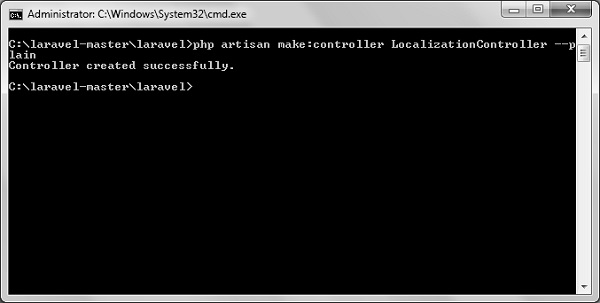
Step 4 − Create a controller called LocalizationController by executing the following command.
php artisan make:controller LocalizationController --plainStep 5 − After successful execution, you will receive the following output −
Step 6 − Copy the following code to file app/Http/Controllers/LocalizationController.phpapp/Http/Controllers/LocalizationController.php
<?php
namespace App\Http\Controllers;
use Illuminate\Http\Request;
use App\Http\Requests;
use App\Http\Controllers\Controller;

class LocalizationController extends Controller {
   public function index(Request $request,$locale){
      //set’s application’s locale
      app()->setLocale($locale);

      //Gets the translated message and displays it
      echo trans('lang.msg');
   }
}
Step 7 − Add a route for LocalizationController in app/Http/routes.php file. Notice that we are passing {locale} argument after localization/ which we will use to see output in different language.
app/Http/routes.php
Route::get('localization/{locale}','LocalizationController@index');
Step 8 − Now, let us visit the different URLs to see all different languages. Execute the below URL to see output in English language.http://localhost:8000/localization/en
Step 9 − The output will appear as shown in the following image.
Step 10 − Execute the below URL to see output in French language.http://localhost:8000/localization/fr
Step 11 − The output will appear as shown in the following image.
Step 12 − Execute the below URL to see output in German languagehttp://localhost:8000/localization/de
Step 13 − The output will appear as shown in the following image.


No comments:
Post a Comment