
Description
It is used to import the contents of the LESS or CSS files.Example
The below example demonstrates use of importing in the LESS file:<html> <head> <title>Less Importing</title> <link rel="stylesheet" type="text/css" href="style.css" /> </head> <body> <h1>Example using Importing</h1> <p class="myclass">LESS enables customizable, manageable and reusable style sheet for web site.</p> <p class="myclass1">It allows reusing CSS code and writing LESS code with same semantics.</p> <p class="myclass2">LESS supports creating cleaner, cross-browser friendly CSS faster and easier.</p> </body> </html>Next, create file myfile.less.
myfile.less
.myclass{
    color: #FF8000;
}

.myclass1{
    color: #5882FA;
}
Next, create file style.less.
style.less
@import "http://www.tutorialspoint.com/less/myfile.less";
.myclass2
{
color: #FF0000;
}
The myfile.less file which will be imported into style.less from the path http://www.tutorialspoint.com/less/myfile.less
You can compile the style.less file to style.css by using the following command:
lessc style.less style.cssNext execute the above command, it will create style.css file automatically with the below code:
style.css
.myclass {
  color: #FF8000;
}
.myclass1 {
  color: #5882FA;
}
.myclass2 {
  color: #FF0000;
}
Output
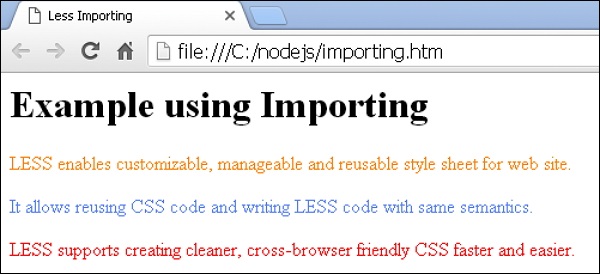
Let's carry out the following steps to see how above code works:- Save the above html code in importing.html file.
- Open this HTML file in a browser, an output as below gets displayed.


No comments:
Post a Comment