
Uploading Files in Laravel is very easy. All we need to do is to
create a view file where a user can select a file to be uploaded and a
controller where uploaded files will be processed.
In a view file, we need to generate a file input by adding the following line of code.
resources/views/uploadfile.php
 Step 4 − Copy the following code in app/Http/Controllers/UploadFileController.php file.
app/Http/Controllers/UploadFileController.php
app/Http/routes.php
http://localhost:8000/uploadfile
Step 7 − You will receive a prompt as shown in the following image.

In a view file, we need to generate a file input by adding the following line of code.
Form::file('file_name');
In Form::open(), we need to add ‘files’=>’true’ as shown below. This facilitates the form to be uploaded in multiple parts.Form::open(array('url' => '/uploadfile','files'=>'true'));
Example
Step 1 − Create a view file called resources/views/uploadfile.php and copy the following code in that file.resources/views/uploadfile.php
<html>
   <body>

      <?php
         echo Form::open(array('url' => '/uploadfile','files'=>'true'));
         echo 'Select the file to upload.';
         echo Form::file('image');
         echo Form::submit('Upload File');
         echo Form::close();
      ?>

   </body>
</html>
Step 2 − Create a controller called UploadFileController by executing the following command.
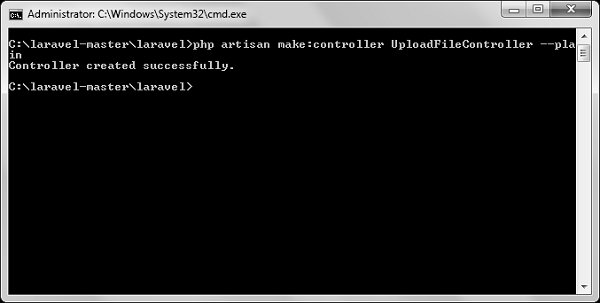
php artisan make:controller UploadFileController --plainStep 3 − After successful execution, you will receive the following output −
Step 4 − Copy the following code in app/Http/Controllers/UploadFileController.php file.app/Http/Controllers/UploadFileController.php
<?php
namespace App\Http\Controllers;
use Illuminate\Http\Request;
use App\Http\Requests;
use App\Http\Controllers\Controller;

class UploadFileController extends Controller {
   public function index(){
      return view('uploadfile');
   }
   public function showUploadFile(Request $request){
      $file = $request->file('image');

      //Display File Name
      echo 'File Name: '.$file->getClientOriginalName();
      echo '<br>';

      //Display File Extension
      echo 'File Extension: '.$file->getClientOriginalExtension();
      echo '<br>';

      //Display File Real Path
      echo 'File Real Path: '.$file->getRealPath();
      echo '<br>';

      //Display File Size
      echo 'File Size: '.$file->getSize();
      echo '<br>';

      //Display File Mime Type
      echo 'File Mime Type: '.$file->getMimeType();

      //Move Uploaded File
      $destinationPath = 'uploads';
      $file->move($destinationPath,$file->getClientOriginalName());
   }
}
Step 5 − Add the following lines in app/Http/routes.php.
app/Http/routes.php
Route::get('/uploadfile','UploadFileController@index');
Route::post('/uploadfile','UploadFileController@showUploadFile');
Step 6 − Visit the following URL to test the upload file functionality.http://localhost:8000/uploadfile
Step 7 − You will receive a prompt as shown in the following image.


No comments:
Post a Comment