
Modular pages are difficult to understand at first but once you get
to know about it, it would be very easy to work with. It enables to
create a single page from its child pages. It has the ability to build
complex one page layouts from modular content pages.
Modular pages are set as non-routable because they cannot be reached directly through an URL. They are identified by _ (underscore) before the folder name. It is a collection of pages that are displayed one above each to get a single page. For example: user/pages/home/_header.
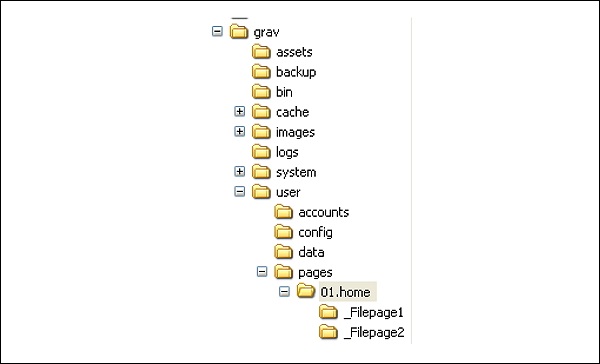
In the image below you can see our created folder structure for modular pages.
 Every sub-folder must contain an .md file that describes a markdown file.
Firstly you must create sub folders in /users/pages/01.home folder. Next, each folder must contain a .md file and a modular.md file.
When you create the sub folder the image and file both must be in the same folder.
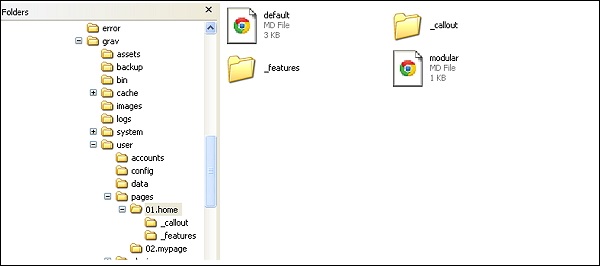
Step (1): First create few pages in /user/pages/01.home/ folder. In the image below you can see we have created two folders alongwith a modular.md file.
 Step (2): To create a modular page you must create a file, in each folder and name it as text.md.
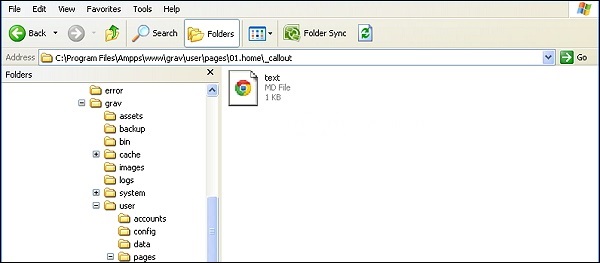 Step (3): Next, add your code in text.md file, save it and run the same.
 Next, go to home page and refresh, you can see the changes.
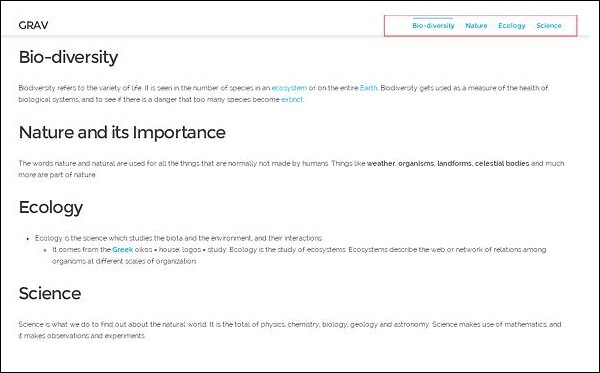 In the new navigation bar you can see the four file links.
Modular pages are set as non-routable because they cannot be reached directly through an URL. They are identified by _ (underscore) before the folder name. It is a collection of pages that are displayed one above each to get a single page. For example: user/pages/home/_header.
Folder Structure
In case of one-page skeleton, you can find this page in the 01.home folder. In this you get a single modular .md file that tells which pages must be included and the order of the pages to display. modular.html.twig can be found in your present theme folder.In the image below you can see our created folder structure for modular pages.
Every sub-folder must contain an .md file that describes a markdown file.Firstly you must create sub folders in /users/pages/01.home folder. Next, each folder must contain a .md file and a modular.md file.
When you create the sub folder the image and file both must be in the same folder.
How to create Modular Page
To create modular pages you must follow the given steps.Step (1): First create few pages in /user/pages/01.home/ folder. In the image below you can see we have created two folders alongwith a modular.md file.
Step (2): To create a modular page you must create a file, in each folder and name it as text.md.
Step (3): Next, add your code in text.md file, save it and run the same.Example
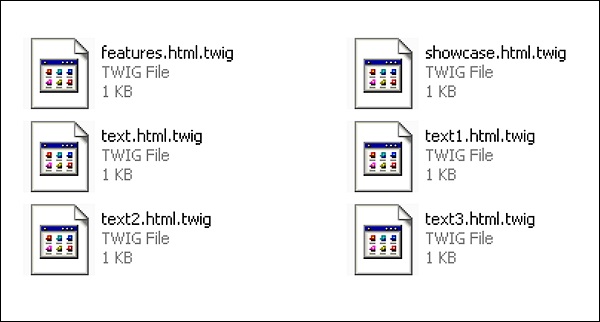
Save all the four pages as .md file. Here we have created 4 pages and named as text.md, text1.md, text2.md and text3.md.--- title: Bio-diversity --- ## Bio-diversity Biodiversity refers to the variety of life. It is seen in the number of species in an [ecosystem](https://simple.wikipedia.org/wiki/Ecosystem) or on the entire [Earth](https://simple.wikipedia.org/wiki/Earth). Biodiversity gets used as a measure of the health of biological systems, and to see if there is a danger that too many species become [extinct](https://simple.wikipedia. org/wiki/Extinct).Next, create 4 pages, add them to the \templates\modular folder as shown below.
Next, go to home page and refresh, you can see the changes.
In the new navigation bar you can see the four file links.

No comments:
Post a Comment