
Creating a simple GUI application using PyQt involves the following steps −
- Import QtGui module.
- Create an application object.
- A QWidget object creates top level window. Add QLabel object in it.
- Set the caption of label as “hello world”.
- Define the size and position of window by setGeometry() method.
- Enter the mainloop of application by app.exec_() method.
import sys
from PyQt4 import QtGui

def window():
   app = QtGui.QApplication(sys.argv)
   w = QtGui.QWidget()
   b = QtGui.QLabel(w)
   b.setText("Hello World!")
   w.setGeometry(100,100,200,50)
   b.move(50,20)
   w.setWindowTitle(“PyQt”)
   w.show()
   sys.exit(app.exec_())

if __name__ == '__main__':
   window()
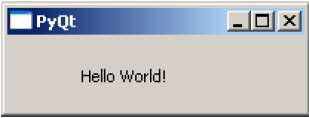
The above code produces the following output −


python training in bangalore | python online training
ReplyDeleteaws training in Bangalore | aws online training
artificial intelligence training in bangalore | artificial intelligence online training
machine learning training in bangalore | machine learning online training
data science training in bangalore | data science online trainin