
PyGTK library provides different container classes to control the
placement of widgets inside a window. The easiest way is to use a fixed container class and place a widget inside it by specifying its absolute coordinates measured in pixels.
Let us now follow these steps −
Step 1 − Declare an object of the fixed class
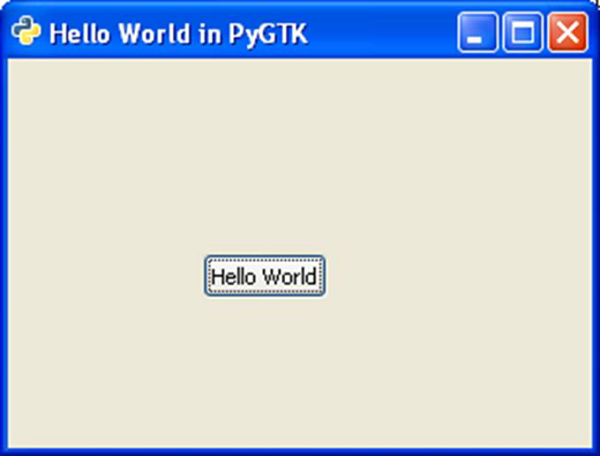 The following is the resized window −
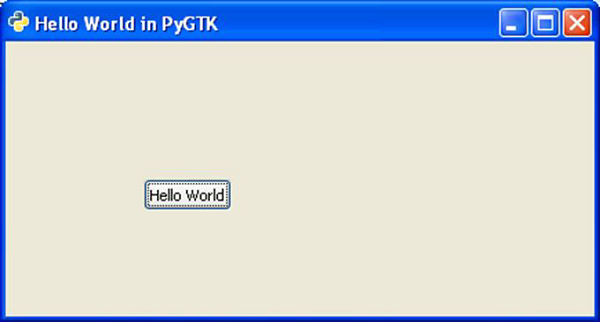 The position of the button is unchanged here.
PyGTK API provides container classes for enhanced management of positioning of widgets inside the container. The advantages of Layout managers over absolute positioning are −
Let us now follow these steps −
Step 1 − Declare an object of the fixed class
fixed = gtk.Fixed()Step 2 − Create a button widget and add it to the fixed container by using put() method which needs x and y coordinates. Here, the button will be placed at (100,100) position.
btn = gtk.Button("Hello")
fixed.put(btn, 100,100)
Step 3 − You can place multiple controls in the fixed container. And, add it to the top-level
window and invoke the show_all() methodself.add(fixed) self.show_all()This Absolute Layout, however, is not suitable because of the following reasons −
- The position of the widget does not change even if the window is resized.
- The appearance may not be uniform on different display devices with different resolutions.
- Modification in the layout is difficult as it may need redesigning of the entire form.
The following is the resized window −
The position of the button is unchanged here.PyGTK API provides container classes for enhanced management of positioning of widgets inside the container. The advantages of Layout managers over absolute positioning are −
- Widgets inside the window are automatically resized.
- Ensures uniform appearance on display devices with different resolutions.
- Adding or removing widget dynamically is possible without having to redesign.
- gtk.ButtonBox
- gtk.Box
- gtk.Alignment
- gtk.EventBox
- gtk.Table


No comments:
Post a Comment