
In this chapter we will study about how to Create Blogs in
Drupal. Blog entries can be made public or private, to the site members,
depending on which roles have access to view content.
Following are the simple steps used for creating Drupal Blogs
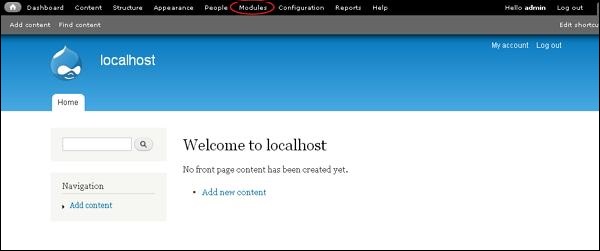
Step(1): click on the Modules as shown below.
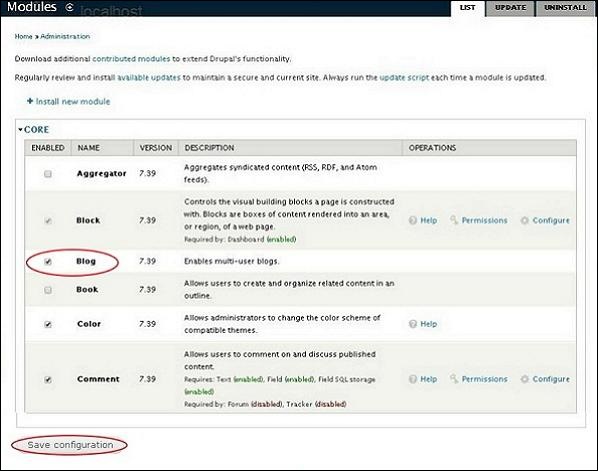
 Step(2): Next, check the box of Blog to install it.
Enable the Blog module and click Save configuration as shown below screens.
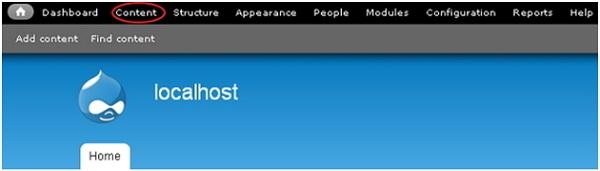
 Step(3): Next, click on Content as shown in below screen.
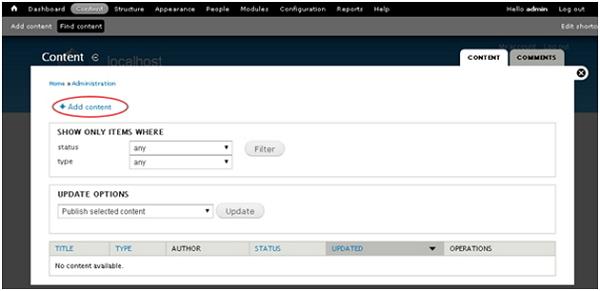
 Step(4): Next, click on Add content.
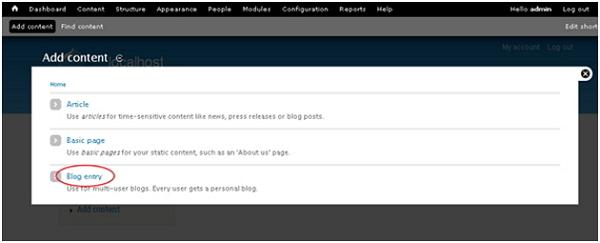
 Step(5): Next ,click on Blog entry.
 Step(6): Next you can add the content to blog as shown in screen below and click Save.
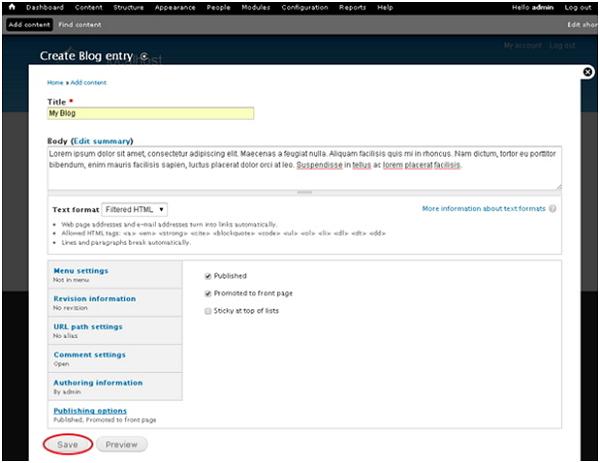 Below we have mentioned the details about the fields present in above screen.
Following are the simple steps used for creating Drupal Blogs
Step(1): click on the Modules as shown below.
Step(2): Next, check the box of Blog to install it. Enable the Blog module and click Save configuration as shown below screens.
Step(3): Next, click on Content as shown in below screen.
Step(4): Next, click on Add content.
Step(5): Next ,click on Blog entry.
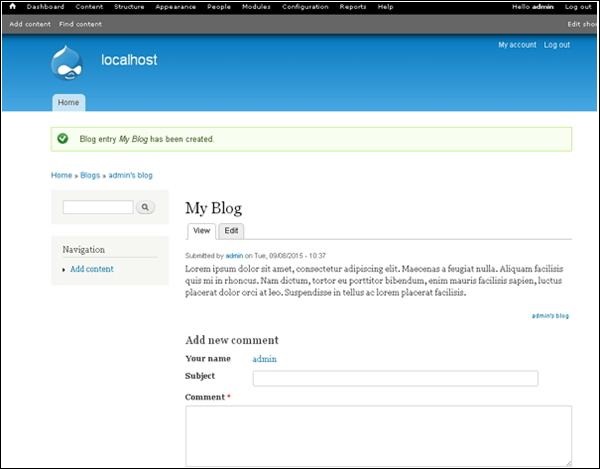
Step(6): Next you can add the content to blog as shown in screen below and click Save.
Below we have mentioned the details about the fields present in above screen.- Title: It displays the title of the blog.
- Body: It displays the content of the body.
- Publishing options: It allows you to publish your blog content on Front Page or you can stick at top of lists as per the demand.


No comments:
Post a Comment