পৃষ্ঠাসমূহ

Search Your Article

CS


Welcome to GoogleDG – your one-stop destination for free learning resources, guides, and digital tools.

At GoogleDG, we believe that knowledge should be accessible to everyone. Our mission is to provide readers with valuable ebooks, tutorials, and tech-related content that makes learning easier, faster, and more enjoyable.

What We Offer:

  • 📘 Free & Helpful Ebooks – covering education, technology, self-development, and more.

  • 💻 Step-by-Step Tutorials – practical guides on digital tools, apps, and software.

  • 🌐 Tech Updates & Tips – simplified information to keep you informed in the fast-changing digital world.

  • 🎯 Learning Support – resources designed to support students, professionals, and lifelong learners.

    Latest world News 


Our Vision

To create a digital knowledge hub where anyone, from beginners to advanced learners, can find trustworthy resources and grow their skills.

Why Choose Us?

✔ Simple explanations of complex topics
✔ 100% free access to resources
✔ Regularly updated content
✔ A community that values knowledge sharing

We are continuously working to expand our content library and provide readers with the most useful and relevant digital learning materials.

📩 If you’d like to connect, share feedback, or suggest topics, feel free to reach us through the Contact page.

Pageviews

Friday, February 17, 2017

Firebase - Write Transactional Data

Transactional data is used when you need to return some data from the database, make some calculation with it and store it back.
Let's say we have one player inside our player list.
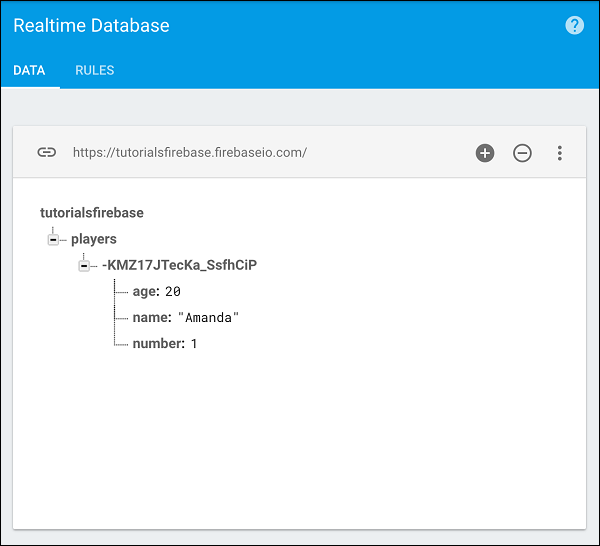
Firebase Write Transactional Data Start We want to retrieve property, add one year of age and return it back to Firebase.
The amandaRef is retrieving age from the collection and then we can use transaction method. We will get the current age, add one year and update the collection.
var ref = new Firebase('https://tutorialsfirebase.firebaseio.com');

var amandaAgeRef = ref.child("players").child("-KGb1Ls-gEErWbAMMnZC").child('age');

amandaAgeRef.transaction(function(currentAge) {
   return currentAge + 1;
});
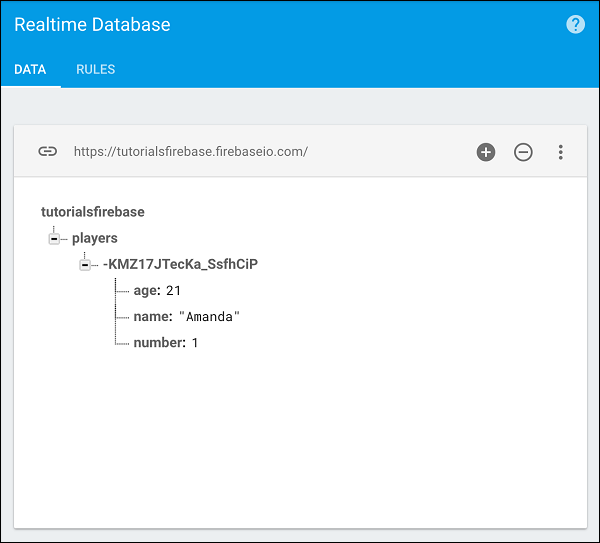
If we run this code, we can see that the age value is updated to 21.
Firebase Write Transactional Data Update

No comments:

Post a Comment