
In this chapter we will show you how to use Firebase Email/Password authentication.
Create user
To authenticate user, we can use createUserWithEmailAndPassword(email, password) method.Example
var email = "myemail@email.com";
var password = "mypassword";

firebase.auth().createUserWithEmailAndPassword(email, password).catch(function(error) {
   console.log(error.code);
   console.log(error.message);
});
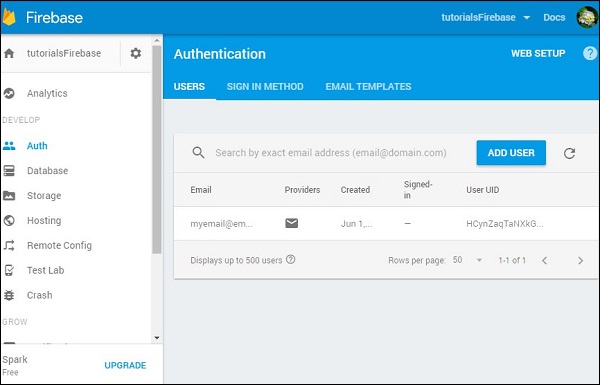
We can check Firebase dashboard and see that user is created.
Sign In
Sign in process is almost the same. We are using signInWithEmailAndPassword(email, password) to sign in user.Example
var email = "myemail@email.com";
var password = "mypassword";

firebase.auth().signInWithEmailAndPassword(email, password).catch(function(error) {
   console.log(error.code);
   console.log(error.message);
});
Signout
And finally we can logout user with signOut() method.Example
firebase.auth().signOut().then(function() {
   console.log("Logged out!")
}, function(error) {
   console.log(error.code);
   console.log(error.message);
});


No comments:
Post a Comment