
Firebase offers several different event types for reading data.
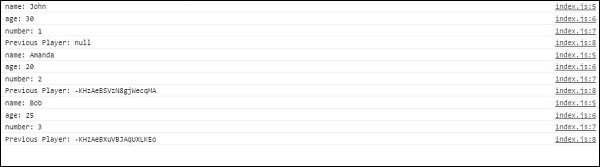
 If we add new player named Bob, we will get the updated data.


value
The first event type is value. We showed you how to use value in our last chapter. This event type will be triggered every time the data changes and it will retrieve all data including children.child_added
This event type will be triggered once for every player and every time new player is added to our data. It is useful for reading list data because we get access of the added player and previous player from the list.Example
var playersRef = firebase.database().ref("players/");

playersRef.on("child_added", function(data, prevChildKey) {
   var newPlayer = data.val();
   console.log("name: " + newPlayer.name);
   console.log("age: " + newPlayer.age);
   console.log("number: " + newPlayer.number);
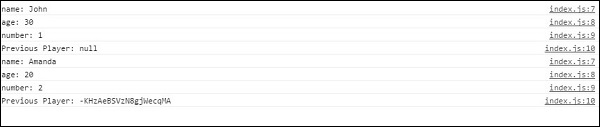
   console.log("Previous Player: " + prevChildKey);
});
We will get the following result.
If we add new player named Bob, we will get the updated data.
child_changed
This event type is triggered when the data has changed.Example
var playersRef = firebase.database().ref("players/");

playersRef.on("child_changed", function(data) {
   var player = data.val();
   console.log("The updated player name is " + player.name);
});
We can change Bob to Maria in Firebase to get the update.
child_removed
If we want to get access of deleted data, we can use child_removed event type.Example
var playersRef = firebase.database().ref("players/");

playersRef.on("child_removed", function(data) {
   var deletedPlayer = data.val();
   console.log(deletedPlayer.name + " has been deleted");
});
Now we can delete Maria from the Firebase to get the notification.


No comments:
Post a Comment