
In this chapter we will study about Aggregator Module in Drupal.
Aggregator Module takes the content from other websites but does
not generate any feeds. It is also known as a feed reader. It gathers,
displays texts and images and other sites and blogs.
Following are the steps for Aggregator Module.
Step 1: Click on Modules from the menu bar.
 Step (2): Next, a list of different modules gets display. Enable the Aggregator module and click on Save Configuration as shown below.
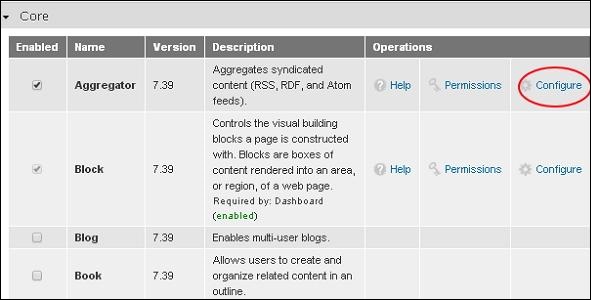
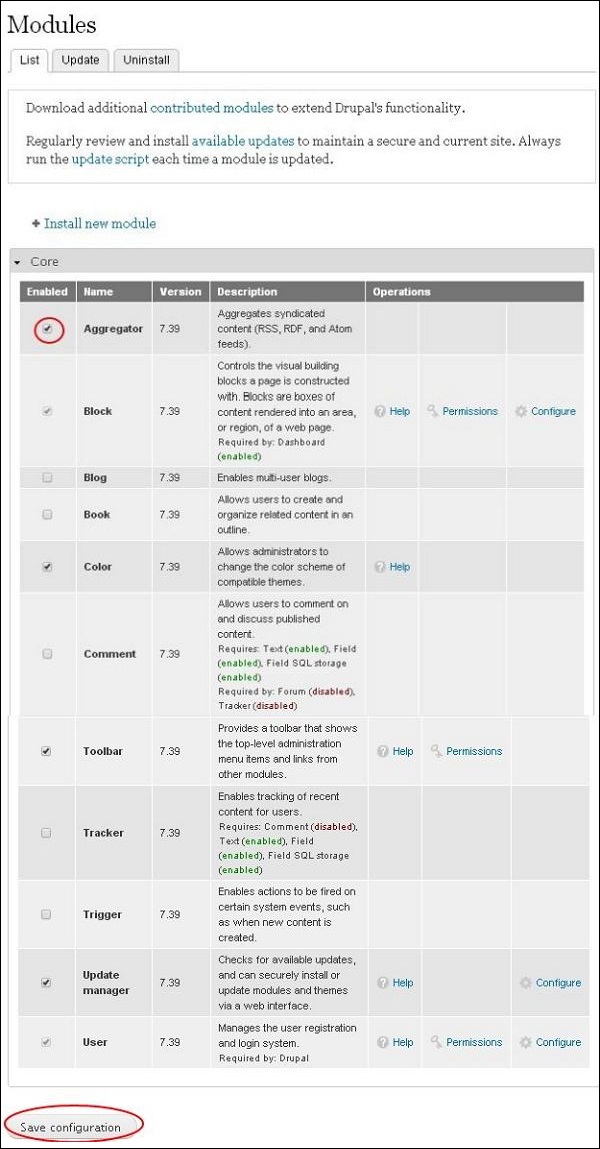 Step (3): Next, go back to the aggregator module and click on Configure option at the right side.
 Step (4): A Feed aggregator page gets display.
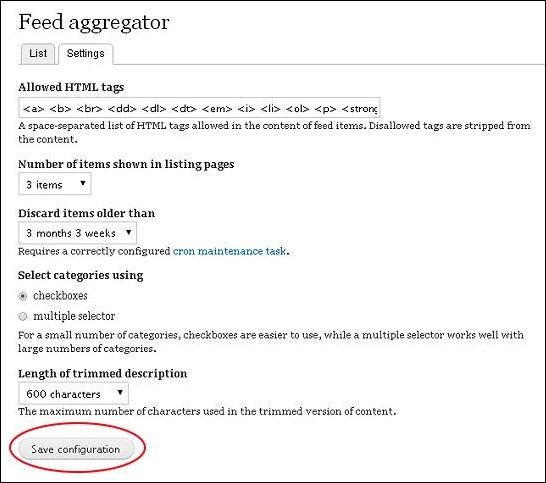 Following are the settings present in this page.
Following are the steps for Aggregator Module.
Step 1: Click on Modules from the menu bar.
Step (2): Next, a list of different modules gets display. Enable the Aggregator module and click on Save Configuration as shown below.
Step (3): Next, go back to the aggregator module and click on Configure option at the right side.
Step (4): A Feed aggregator page gets display.
Following are the settings present in this page.- Allowed HTML tags: This specifies that you can get only those html tags which are included in the given text box as you can see in the image, if you remove any of them you won't find that particular tag in your content.
- Number of items shown in listing pages: Select the number of items you want to be displayed in your pages.
- Discard items older than: You can remove items that are older by using this option.
- Select categories using: You can select categories accordingly, either by clicking on Check boxes radio button or multiple selectors.
- Length of trimmed description: Select the length of your descriptions.


No comments:
Post a Comment