পৃষ্ঠাসমূহ

Search Your Article

CS


Welcome to GoogleDG – your one-stop destination for free learning resources, guides, and digital tools.

At GoogleDG, we believe that knowledge should be accessible to everyone. Our mission is to provide readers with valuable ebooks, tutorials, and tech-related content that makes learning easier, faster, and more enjoyable.

What We Offer:

  • 📘 Free & Helpful Ebooks – covering education, technology, self-development, and more.

  • 💻 Step-by-Step Tutorials – practical guides on digital tools, apps, and software.

  • 🌐 Tech Updates & Tips – simplified information to keep you informed in the fast-changing digital world.

  • 🎯 Learning Support – resources designed to support students, professionals, and lifelong learners.

    Latest world News 


Our Vision

To create a digital knowledge hub where anyone, from beginners to advanced learners, can find trustworthy resources and grow their skills.

Why Choose Us?

✔ Simple explanations of complex topics
✔ 100% free access to resources
✔ Regularly updated content
✔ A community that values knowledge sharing

We are continuously working to expand our content library and provide readers with the most useful and relevant digital learning materials.

📩 If you’d like to connect, share feedback, or suggest topics, feel free to reach us through the Contact page.

Pageviews

Monday, February 13, 2017

Aurelia - Data Binding

Aurelia has its own data-binding system. In this tutorial we will show you how to bind data with Aurelia, and also explain different binding mechanics.
Simple Binding

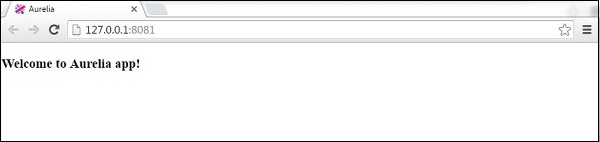
You already saw simple binding in some of our previous chapters. ${...} syntax is used to link veiw-model and view.

app.js

export class App {  
   constructor(){
      this.myData = 'Welcome to Aurelia app!';
   }
}

app.html

<template>
   <h3>${myData}</h3>
</template>
Aurelia Data Binding Simple

Two way Binding

The beauty of Aurelia is in its simplicity. The two-way data binding is automatically set when we bind to input fields.

app.js

export class App {  
   constructor(){
      this.myData = 'Enter some text!';
   }
}

app.html

<template>
  <input id = "name" type = "text" value.bind = "myData" />
  <h3>${myData}</h3>
</template>
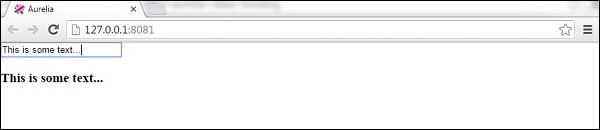
Now we have our view-model and view linked. Whenever we enter some text inside input field, the view will be updated.
Aurelia Data Binding Two Way

No comments:

Post a Comment