
Using Code Templates
Code templates help reduce typing time by inserting code into the editor. Each code template is given a short literal. Typing the literal into the editor window and press Ctrl + Space brings up a dialog box from which a code template associated with that literal can be selected.Typing
forwithin the body of a method in the java editor window and clicking Ctrl + space shows the code templates associated with
for.
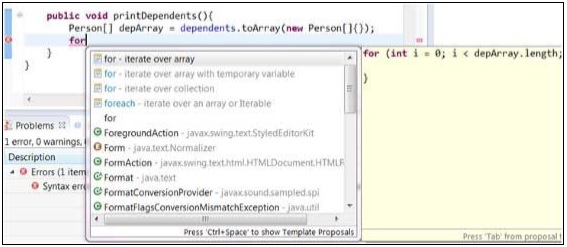 Selecting
 for - iterate over arrayinserts code for iterating through depArray which was declared earlier in the method body.
Another useful code template literal is sysout which can be used to insert the System.out.println() method call.
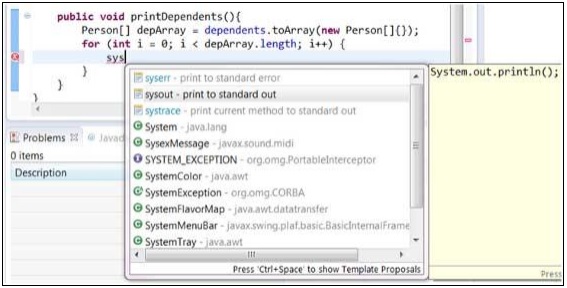
Modifying/Adding code templates
You can add new code templates using the Preferences dialog box. Bring up the Preferences dialog box by clicking on the Windows menu and selecting the Preferences menu item. To locate the Templates page type Templates into the filter text box.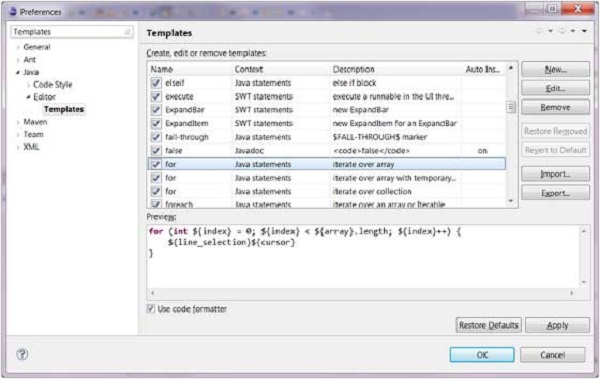 You can read more about the variables that can be used to customize
the code that is inserted by reading the Eclipse help. To bring up the
help window click on the Help menu and select Help Contents. In the
search text box enter
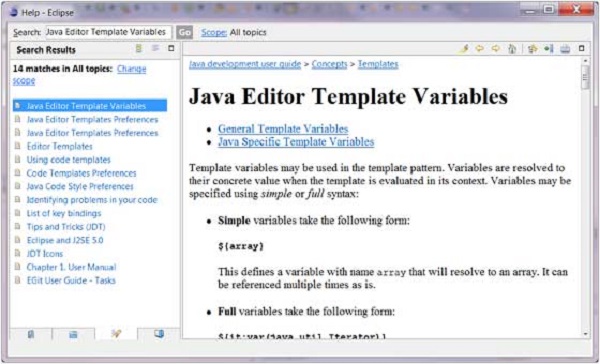
You can read more about the variables that can be used to customize
the code that is inserted by reading the Eclipse help. To bring up the
help window click on the Help menu and select Help Contents. In the
search text box enter Java Editor Template Variables. From the list on the left hand side select
Java Editor Template Variables.


No comments:
Post a Comment