
Locating and Installing Plug-ins
The Eclipse platform which provides the foundation for the Eclipse IDE is composed of plug-ins and is designed to be extensible using additional plug-ins.Several hundreds of plug-ins are available. Each plug-in adds more functionality to Eclipse. You can locate a plug-in that provides certain functionality by searching the Eclipse Market place (http://marketplace.eclipse.org/). For example you can locate plug-ins that allows eclipse to be used as a Python IDE.
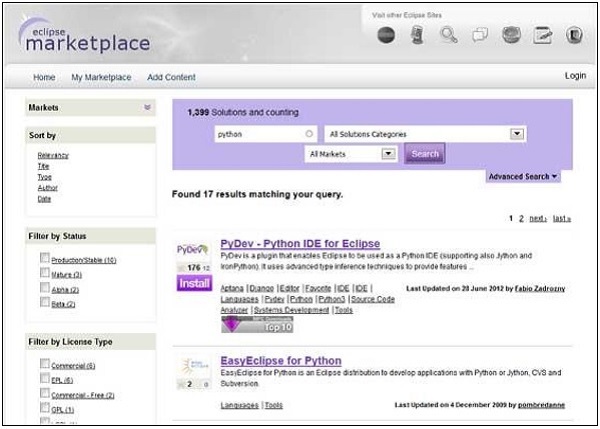 From within the Eclipse IDE, you can search the market place by using
the Eclipse Marketplace dialog which can be invoked by clicking on the
Help menu and selecting Eclipse Marketplace.
From within the Eclipse IDE, you can search the market place by using
the Eclipse Marketplace dialog which can be invoked by clicking on the
Help menu and selecting Eclipse Marketplace.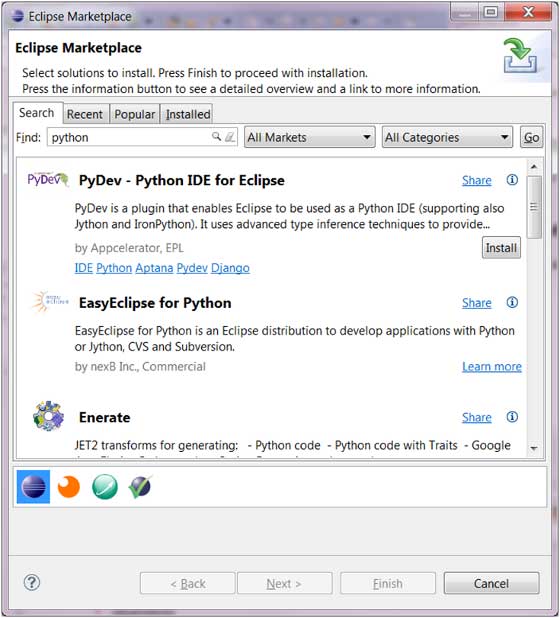 In the screenshot above, to install
 PyDev-Python IDE for Eclipse, just click on the Install button. Using the dialog box that comes up you can install the plug-in.
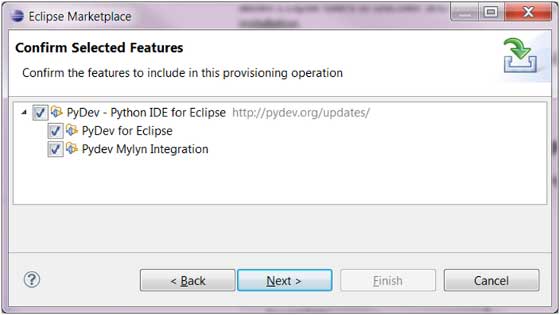 You can also install a plug-in by using the Install New Software menu
item accessible from the Help menu (Help → Install New Software).
You can also install a plug-in by using the Install New Software menu
item accessible from the Help menu (Help → Install New Software).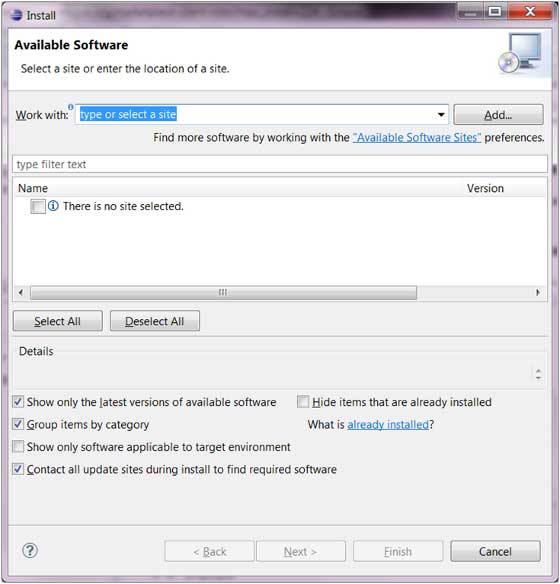 In this case you have to know the URL of the remote site from which
the plug-in can be downloaded. You can supply this URL by clicking on
the Add button.
In this case you have to know the URL of the remote site from which
the plug-in can be downloaded. You can supply this URL by clicking on
the Add button.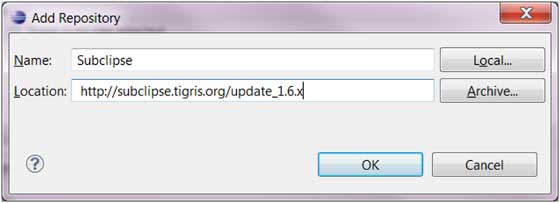 The install dialog box shows the plug-in components available in the remote site and allows you to install them.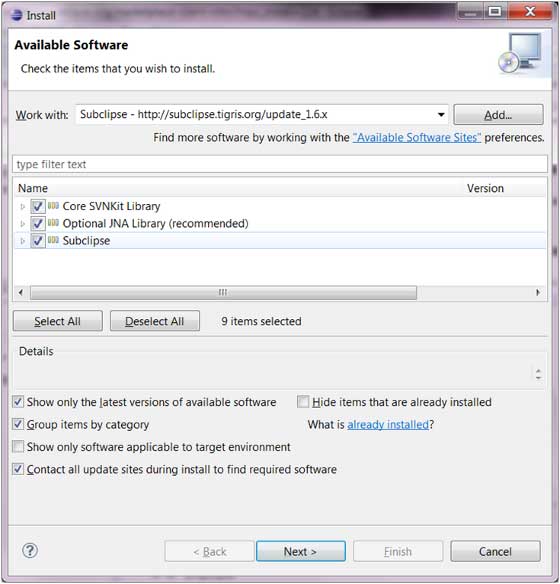


No comments:
Post a Comment