
In this chapter we will learn about Triggers and Actions in Drupal. First let's look into Triggers.
It can be defined as changes happening within your site. The actions can be carried out either after creating a new content or any page.
Following are the steps that will help you use triggers in Drupal.
Step (1): First click on Modules from the menu bar.
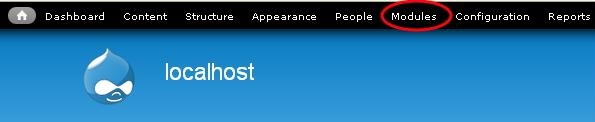 Step (2): When you click on Modules you get the following page.
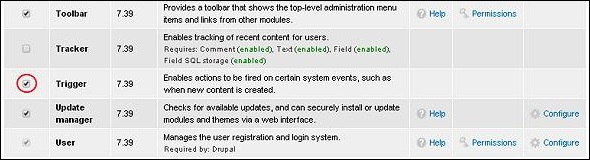 Here enable Trigger module. Then click on Save Configuration at the bottom of the page.
Step (3): Go back to the Trigger module and click on Configure at the right side as shown.
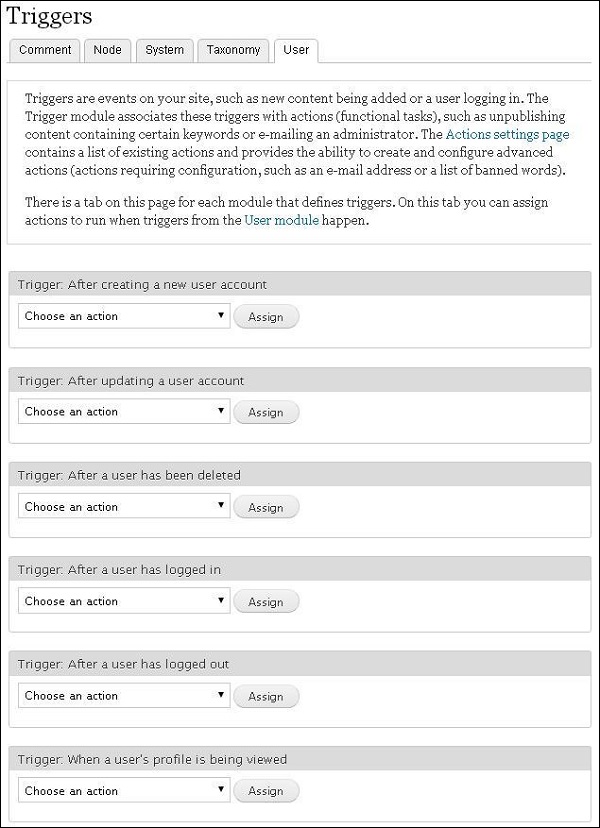
 Step (4): When you click on Configure you get the following page.
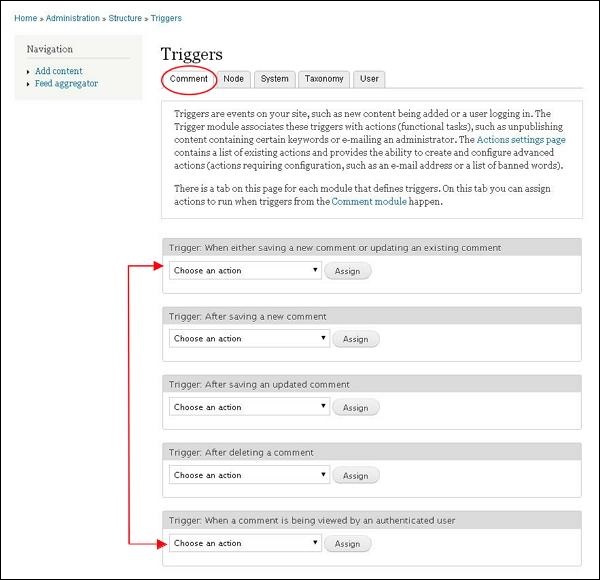 Here we have different tabs that specify each trigger.
Step (1): Click on Configuration from the menu bar.
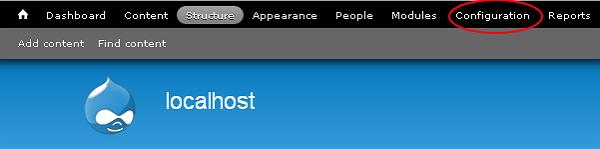 Step (2): Next, click on Actions from the system section.
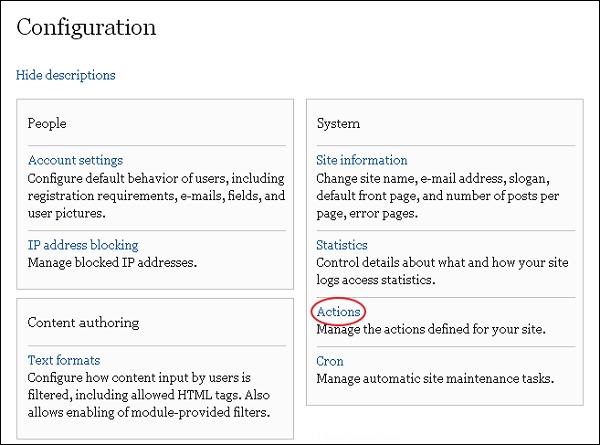 Step (3): Here when you click on Actions you get the page as shown below.
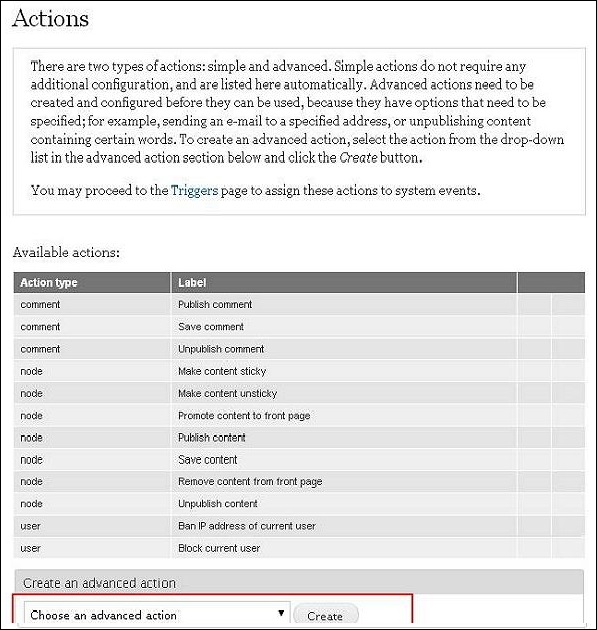 Step (4): Select any one action from the dropdown and click on Create.
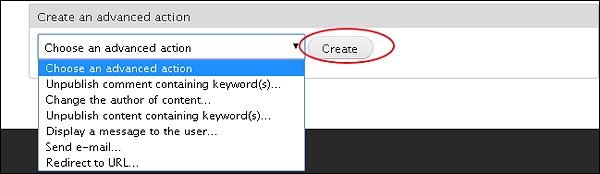 Step (5): When you choose an option and click on Create. The page as shown below appears.
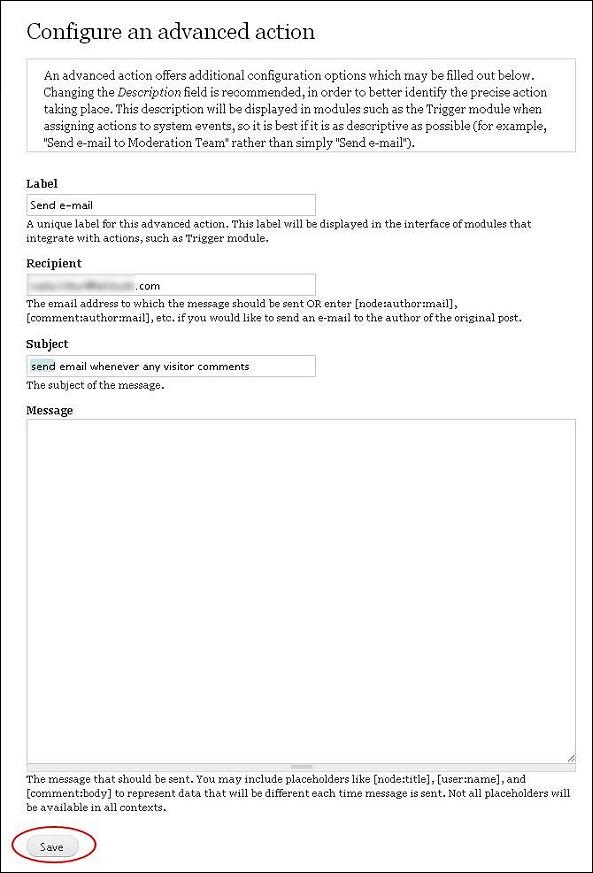 The options are discussed below:
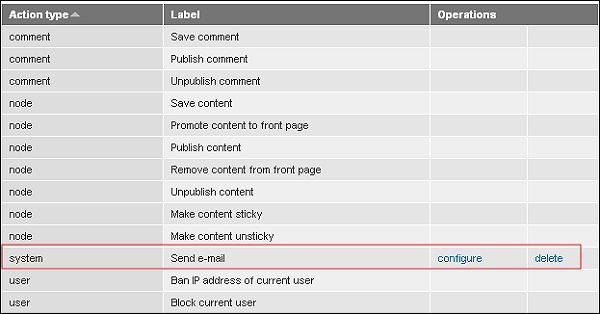
Step(6):You can see that your action is added to the list.
It can be defined as changes happening within your site. The actions can be carried out either after creating a new content or any page.
Following are the steps that will help you use triggers in Drupal.
Step (1): First click on Modules from the menu bar.
Step (2): When you click on Modules you get the following page.
Here enable Trigger module. Then click on Save Configuration at the bottom of the page.Step (3): Go back to the Trigger module and click on Configure at the right side as shown.
Step (4): When you click on Configure you get the following page.
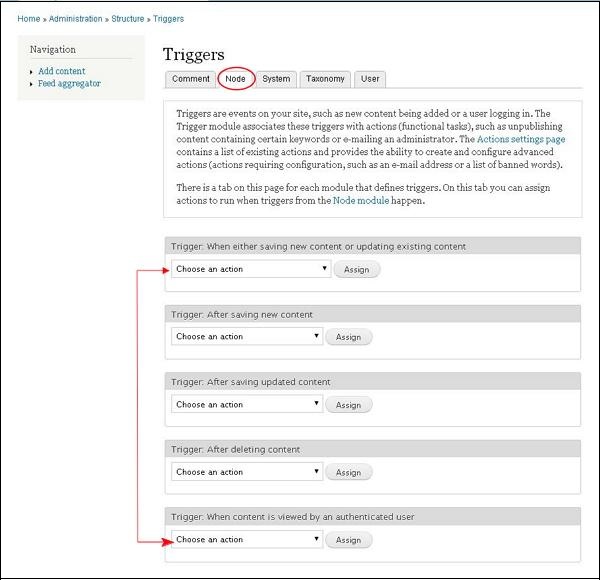
Here we have different tabs that specify each trigger.- Comment Module: Here, you can assign action to only those triggers relating to comment module.
- Node Module: You can assign action to those triggers relating to Node module.
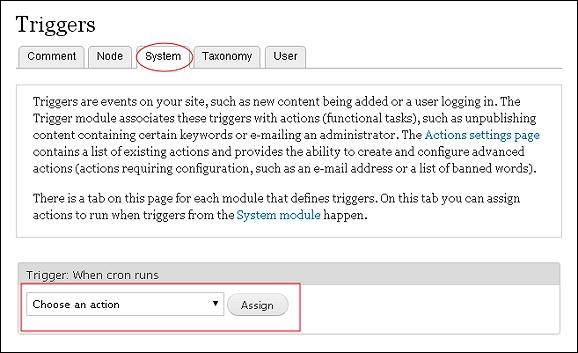
- System Module: Here you can assign action to only those triggers relating to System module.
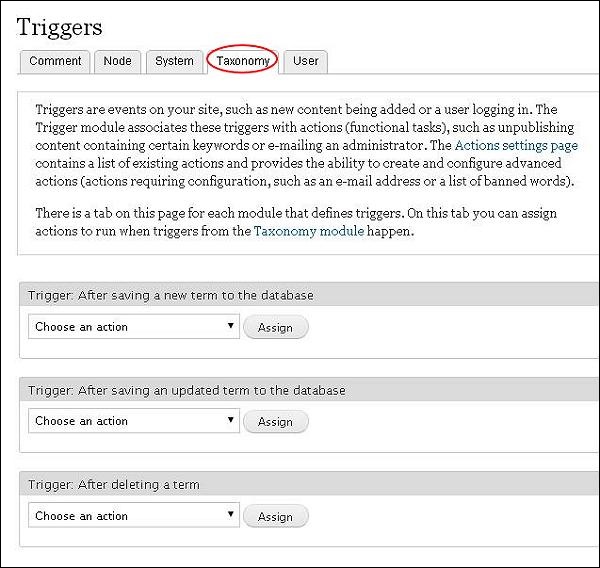
- Taxonomy Module: In this you can trigger actions to the Taxonomy module.
- User Module: At last we have the user module, here actions must be assigned in User module.
Actions
Tasks carried on a particular system object are called an action.Step (1): Click on Configuration from the menu bar.
Step (2): Next, click on Actions from the system section.
Step (3): Here when you click on Actions you get the page as shown below.
Step (4): Select any one action from the dropdown and click on Create.
Step (5): When you choose an option and click on Create. The page as shown below appears.
The options are discussed below:- Label: Give a name to your action
- Recipient: Enter your email address
- Subject: Enter a subject you want to add to the action
- Message: The message you want to send it to the vistor when clicked on any action
Step(6):You can see that your action is added to the list.


No comments:
Post a Comment