
In this chapter we will learn about using Pane Module in
Drupal. Pane module is used to translates the custom panel's pane with
optional title that will be stored as variables and it can be translate
or edit quickly.
Following are the steps of how to add Pane Module.
Step (1): Download the latest file of Pane module from the link and install in your Drupal site.
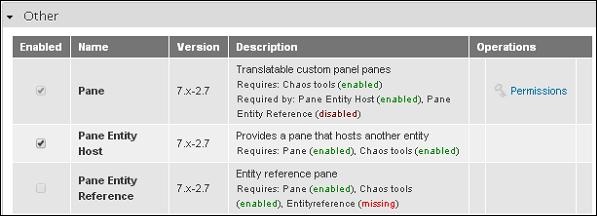
Step (2): Next, enable the one you want to use and click on Save Configuration at the bottom of the page.
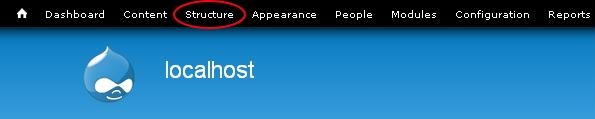
 Step (3): Click on Structure from the menu bar.
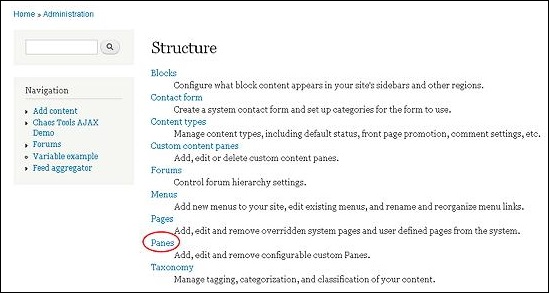
 Step (4): Next click on Panes.
 Step (5): Here click on Add pane to add a new one.
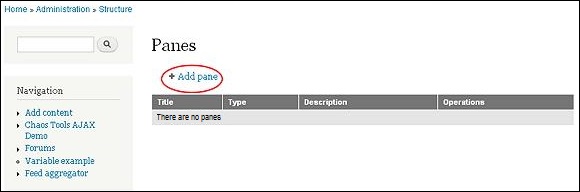 Step (6): Next, Panes page gets displayed as shown below.
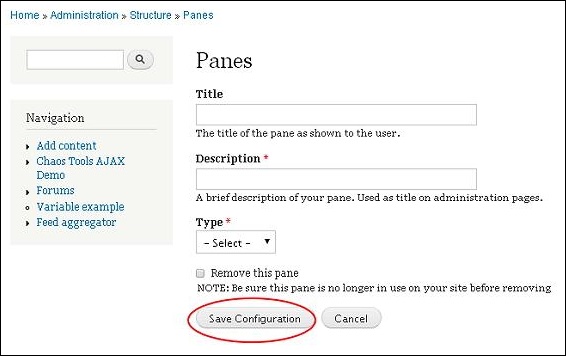 It contains the following fields.
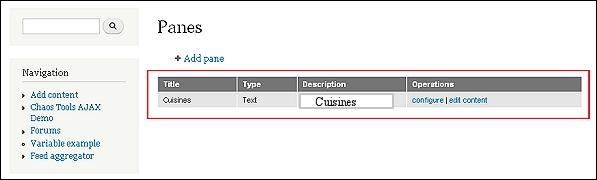
Step (7): Your Pane module gets displayed as shown in the image below. If you want to make any changes in the pane then click on Edit.
 Step (8): Next, the Pane page gets displayed.
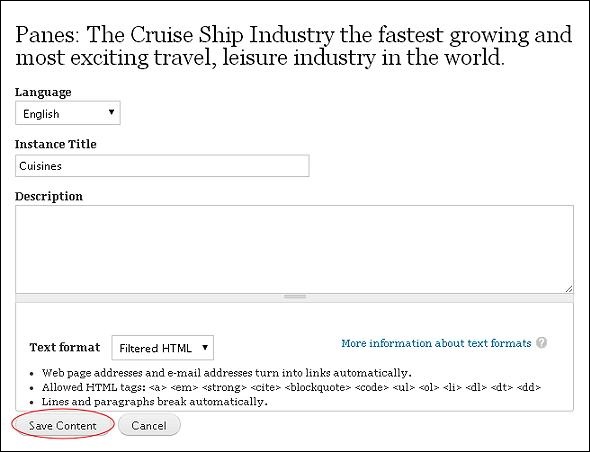 Make the required changes and click on Save Content.
Following are the steps of how to add Pane Module.
Step (1): Download the latest file of Pane module from the link and install in your Drupal site.
Step (2): Next, enable the one you want to use and click on Save Configuration at the bottom of the page.
Step (3): Click on Structure from the menu bar.
Step (4): Next click on Panes.
Step (5): Here click on Add pane to add a new one.
Step (6): Next, Panes page gets displayed as shown below.
It contains the following fields.- Title:Enter your pane title in this box.
- Description:Describe your pane in a line or a sentence.
- Type:Select type accordingly, it may be either Text or Entity Host.
Step (7): Your Pane module gets displayed as shown in the image below. If you want to make any changes in the pane then click on Edit.
Step (8): Next, the Pane page gets displayed.
Make the required changes and click on Save Content.

No comments:
Post a Comment