
Working with database in CakePHP is very easy. We will understand the
CRUD (Create, Read, Update, Delete) operations in this chapter. Before
we proceed, we need to create the following users’ table in the
database.
This new instance is used to create new entity. Set necessary values with the instance of new entity. We now have to call the save() method with TableRegistry class’s instance which will insert new record in database.
config/routes.php
src/controller/UsersController.php
src/Template/Users/add.ctp
http://localhost:85/CakePHP/users/add
CREATE TABLE `users` (
   `id` int(11) NOT NULL AUTO_INCREMENT,
   `username` varchar(50) NOT NULL,
   `password` varchar(255) NOT NULL,
   PRIMARY KEY (`id`)
)
ENGINE = InnoDB AUTO_INCREMENT = 7 DEFAULT CHARSET = latin1
Further, we also need to configure our database in config/app.php file.
Insert a Record
To insert a record in database, we first need to get hold of a table using TableRegistry class. We can fetch the instance out of registry using get() method. The get() method will take the name of the database table as an argument.This new instance is used to create new entity. Set necessary values with the instance of new entity. We now have to call the save() method with TableRegistry class’s instance which will insert new record in database.
Example
Make changes in the config/routes.php file as shown in the following program.config/routes.php
<?php
   use Cake\Core\Plugin;
   use Cake\Routing\RouteBuilder;
   use Cake\Routing\Router;

   Router::defaultRouteClass('DashedRoute');
   Router::scope('/', function (RouteBuilder $routes) {
      $routes->connect('/users/add', ['controller' => 'Users', 'action' => 'add']);
      $routes->fallbacks('DashedRoute');
   });
   Plugin::routes();
Create a UsersController.php file at src/Controller/UsersController.php. Copy the following code in the controller file.
src/controller/UsersController.php
<?php
   namespace App\Controller;
   use App\Controller\AppController;
   use Cake\ORM\TableRegistry;
   use Cake\Datasource\ConnectionManager;
   use Cake\Auth\DefaultPasswordHasher;

   class UsersController extends AppController{
      public function add(){
         if($this->request->is('post')){
            $username = $this->request->data('username');
            $hashPswdObj = new DefaultPasswordHasher;
            $password = $hashPswdObj->hash($this->request->data('password'));
            $users_table = TableRegistry::get('users');
            $users = $users_table->newEntity();
            $users->username = $username;
            $users->password = $password;

            if($users_table->save($users))
            echo "User is added.";
         }
      }
   }
?>
Create a directory Users at src/Template and under that directory create a View file called add.ctp. Copy the following code in that file.
src/Template/Users/add.ctp
<?php
   echo $this->Form->create("Users",array('url'=>'/users/add'));
   echo $this->Form->input('username');
   echo $this->Form->input('password');
   echo $this->Form->button('Submit');
   echo $this->Form->end();
?>
Execute the above example by visiting the following URL.
http://localhost:85/CakePHP/users/add
Output
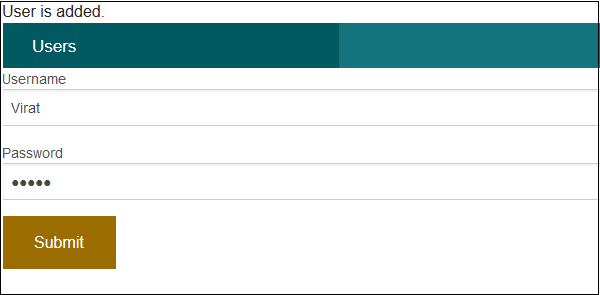
Upon execution, you will receive the following output.

No comments:
Post a Comment