
This chapter takes you through the basic commands of JDB. After
launching a session, these commands are used for debugging a program.
The following is the list of commands used for debugging.
The following is the list of commands used for debugging.
| Name | Description |
|---|---|
| help or ? | The most important JDB command; it displays a list of recognized commands with a brief description. |
| run | After starting JDB and setting the necessary breakpoints, you can use this command to start execution and debug an application. |
| cont | Continues execution of the debugged application after a breakpoint, exception, or step. |
| Displays Java objects and primitive values. | |
| dump | For primitive values, this command is identical to print. For objects, it prints the current value of each field defined in the object. Static and instance fields are included. |
| threads | Lists the threads that are currently running. |
| thread | Selects a thread to be the current thread. |
| where | Dumps the stack of the current thread. |
Example
Let us assume we have a sample class called Add for the following examples:Add.java
public class Add
{
   public int addition( int x, int y)
   {
      int z = x + y;
      return z;
   }

   public static void main( String ar[ ] )
   {
      int a = 5, b = 6;
      Add ob = new Add();

      int c = ob.addition(a,b);
      System.out.println("Add: " + c);
   }
}
Compile this class Add.java using the following command:
\>javac Add.java
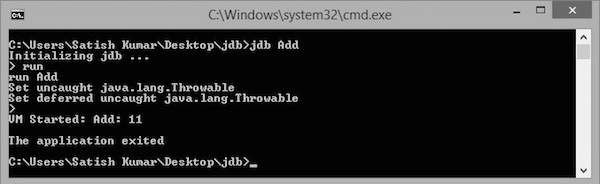
Run
This command executes the main class file, which is added to JDB for debugging. Execute the following commands to run the Add class.\>jdb Add initializing jdb … >runOn executing these commands, you get to see the following output:


No comments:
Post a Comment