
Typical Eclipse Menus
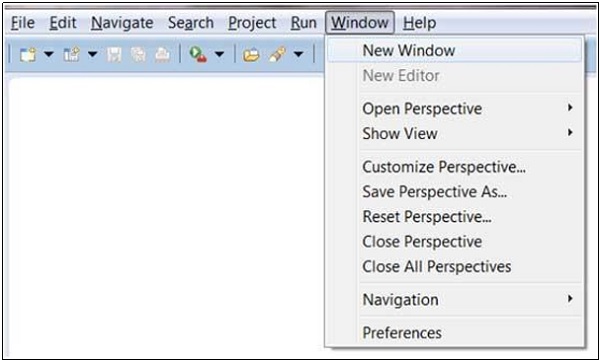
The typical menus available on the menu bar of an Eclipse window are −- File menu
- Edit menu
- Navigate menu
- Search menu
- Project menu
- Run menu
- Window menu
- Help menu
 Plug-ins can add new menus and menu items. For example when the java
editor is open you will see the Source menu and when the XML editor is
open, you will see the Design menu.
Plug-ins can add new menus and menu items. For example when the java
editor is open you will see the Source menu and when the XML editor is
open, you will see the Design menu.Brief Description of Menus
| Sr.No | Menu Name & Description |
|---|---|
| 1 | File The File menu allows you to open files for editing, close editors, save editor content and rename files. Among the other things, it also allows you to import and export workspace content and shutdown Eclipse. |
| 2 | Edit The Edit menu presents items like copy & paste. |
| 3 | Source The Source menu is visible only when a java editor is open. It presents a number of useful menu items related to editing java source code. |
| 4 | Navigate The Navigate menu allows you to quickly locate resources and navigate to them. |
| 5 | Search The Search menu presents items that allow you to search the workspace for files that contain specific data. |
| 6 | Project The menu items related to building a project can be found on the Project menu. |
| 7 | Run The menu items on the Run menu allow you to start a program in the run mode or debug mode. It also presents menu items that allow you to debug the code. |
| 8 | Window The Window menu allows you to open and close views and perspectives. It also allows you to bring up the Preferences dialog. |
| 9 | Help The Help menu can be used to bring up the Help window, Eclipse Marketplace view or Install new plug-ins. The about Eclipse menu item gives you version information. |


No comments:
Post a Comment