
Sometimes, a web application may require a URL structure that is
having more than one level. TurboGears can traverse object hierarchy to
find appropriate method that can handle your request.
A project ‘quickstarted’ with gearbox has a BaseController class in project’s lib folder. It is available as ‘Hello/hello/lib/base.py’.
It serves as base class for all sub controllers. In order to add a sub level of URL in application, design a sub class called BlogController derived from BaseController.
This BlogController has two controller functions, index() and post(). Both are designed to expose a template each, blog.html and post.html.
Note − These templates are put inside a sub folder − templates/blog
When a URL http://localhost:8080/blog/ is entered, it will be mapped to index() controller function inside BlogController class. Similarly, http://localhost:8080/blog/post will invoke post() function.
The code for blog.html and post.html is as below −
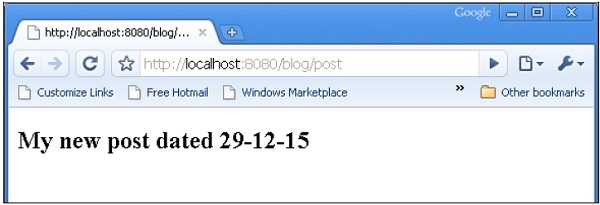
 When a URL http://localhost:8080/blog/post is entered, it will produce the following output −
A project ‘quickstarted’ with gearbox has a BaseController class in project’s lib folder. It is available as ‘Hello/hello/lib/base.py’.
It serves as base class for all sub controllers. In order to add a sub level of URL in application, design a sub class called BlogController derived from BaseController.
This BlogController has two controller functions, index() and post(). Both are designed to expose a template each, blog.html and post.html.
Note − These templates are put inside a sub folder − templates/blog
class BlogController(BaseController):

   @expose('hello.templates.blog.blog')
   def index(self):
      return {}

   @expose('hello.templates.blog.post')
   def post(self):
      from datetime import date
      now = date.today().strftime("%d-%m-%y")
      return {'date':now}
Now declare an object of this class in RootController class (in root.py) as follows −
class RootController(BaseController):
   blog = BlogController()
Other controller functions for top level URLs will be there in this class as earlier.
When a URL http://localhost:8080/blog/ is entered, it will be mapped to index() controller function inside BlogController class. Similarly, http://localhost:8080/blog/post will invoke post() function.
The code for blog.html and post.html is as below −
Blog.html

<html>
   <body>
      <h2>My Blog</h2>
   </body>
</html>

post.html

<html>
   <body>
      <h2>My new post dated $date</h2>
   </body>
</html>
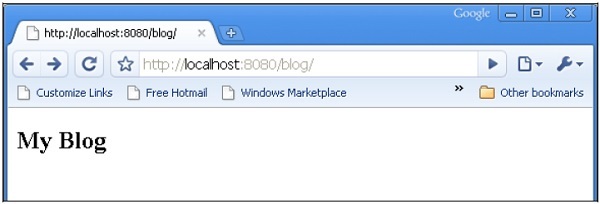
When a URL http://localhost:8080/blog/ is entered, it will produce the following output −
When a URL http://localhost:8080/blog/post is entered, it will produce the following output −

No comments:
Post a Comment