
Digital Certificates are a standard of security for establishing an encrypted link
between a server and a client. This is generally between a mail server
or a webserver that protects data in transitions by encrypting them. A
Digital Certificate is also a Digital ID or a passport which is issued
by a Third-party authority, which verifies the identity of the server’s
owner.
For example, the following screenshot shows the eBay public certificate.
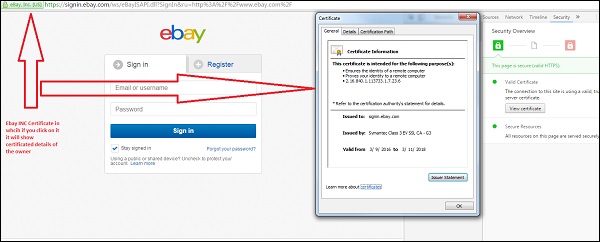
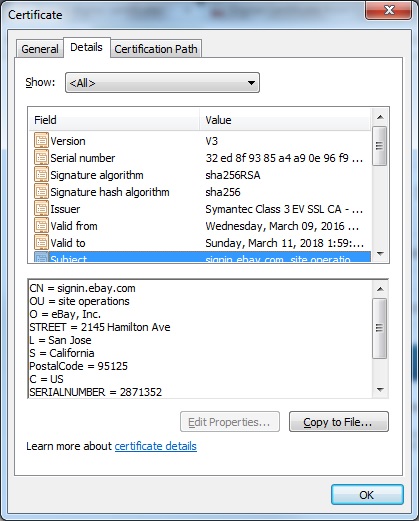
For example, the following screenshot shows the eBay public certificate.
Components of a digital certificate
All these components can be found in the certificate details −- Serial Number − Used to uniquely identify the certificate.
- Subject − The person or entity identified.
- Signature Algorithm − The algorithm used to create the signature.
- Signature − The actual signature to verify that it came from the issuer.
- Issuer − The entity that verified the information and issued the certificate.
- Valid-From − The date a certificate is first valid from.
- Valid-To − The expiration date.
- Key-Usage − Purpose of the public key (e.g. encipherment, signature, certificate signing...).
- Public Key − The public key.
- Thumbprint Algorithm − The algorithm used to hash the public key certificate.
- Thumbprint − The hash itself, used as an abbreviated form of the public key certificate.
Types of Validations
There are three types of validations, which are as follows −- Domain validation SSL Certificate.
- Organization Validated SSL Certificates.
- Extended Validation SSL Certificates.
Domain validation SSL certificate
It validates the domain that is registered by a system administrator and he has the administrator rights (authorization or permission) to approve the certificate request. This validation is generally done by an email request or by DNS record.
Organization Validated SSL Certificates
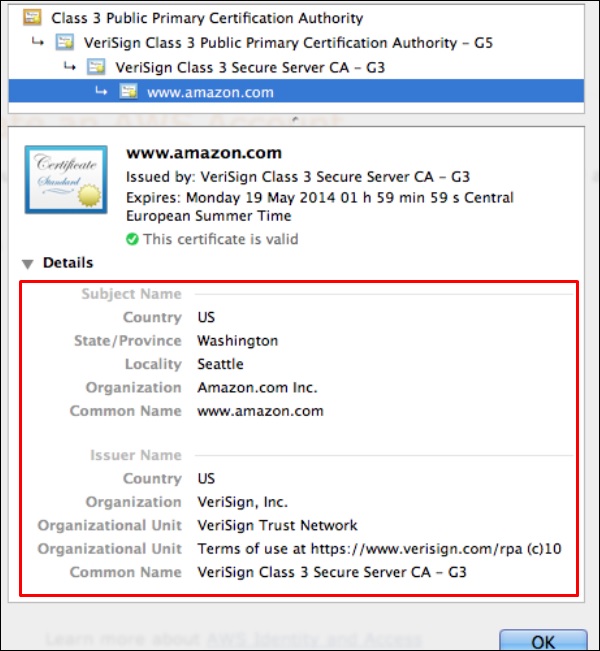
It validates the domain ownership and business information like the official name, City, Country. Validation is done also by email or DNS record entering. The certificate authority also needs some genuine documents to verify your Identity. The Organization Validated SSL Certificates display the company information in the certificate details as shown in the following screenshot.
Extended Validation SSL Certificates
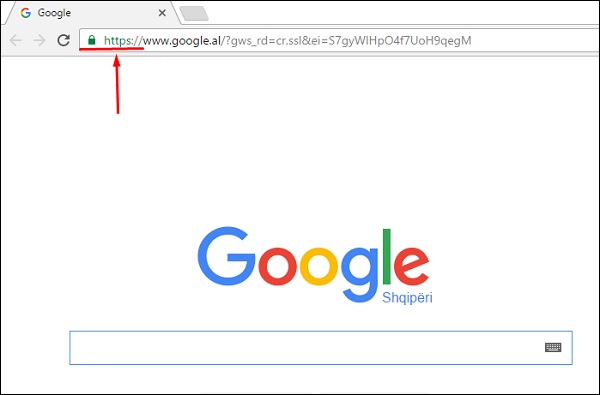
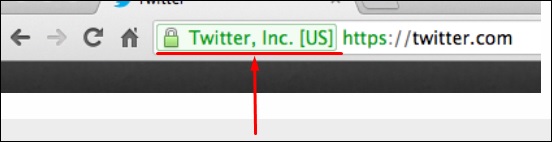
It validates the domain ownership, organization information and the legal existence of the organization. It also validates that the organization is aware of the SSL certificate request and approves it. The validation requires documentation to certify the company identity plus a set of additional steps and checks. The Extended Validation SSL Certificates are generally identified with a green address bar in the browser containing the company name like the one shown in screenshot below.

No comments:
Post a Comment