
Control panel is the administration web interface of your
webhosting account. It is an interface that you access to administer all
the aspects of your account. You can typically control all portions of
your site within the control panel without using any additional software
like FTP software to upload files, though many people find it faster
and easier to do so.
Some web hosts use customized, proprietary control panels, but most of them use popular platforms. However, the leader of the industry is cPanel. It is the most spread out control panel among the hosting providers. The official webpage of cPanel is – https://cpanel.com.
Now let us discuss cPanel in detail and understand the most important aspects of it.
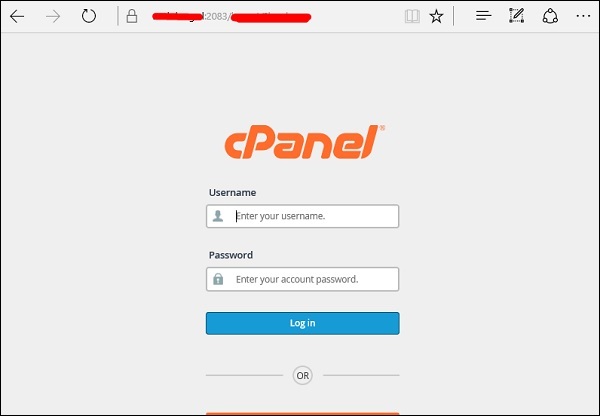
Firstly, to enter the CPanel you should type in the URL which the Hosting Company will give to you. This in general should be – yourdomain.com/cpanel. You should then enter your username and password which the hosting company has given you.
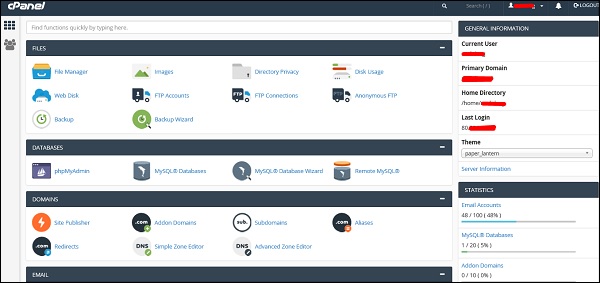
 The main dashboard will be as shown in the following screenshot, where on the left-hand side, you will see the General Information,
which will show the username, domain name, home directory and the IP
address of the log in. On the left towards the bottom of the screen are
the Statistics like databases used, email and the add-on Domains.
The main dashboard will be as shown in the following screenshot, where on the left-hand side, you will see the General Information,
which will show the username, domain name, home directory and the IP
address of the log in. On the left towards the bottom of the screen are
the Statistics like databases used, email and the add-on Domains.
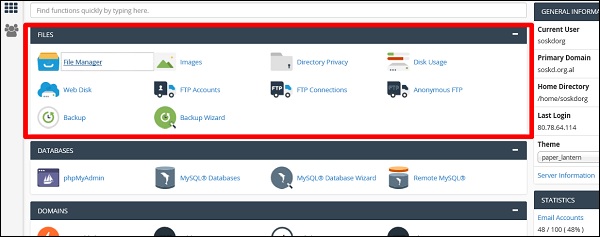
 In the FILES section, the most important folder is of the File Manager, you can upload or download files of your webpage. The next important is FTP Accounts, where you can create users that can use programs like FileZilla to upload or download files.
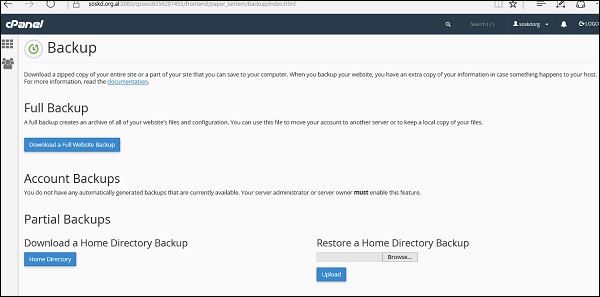
 Taking a backup of the FILES section allows you to fully or partially download the webpage.
 In the DATABASES, the phpMyAdmin is the most important
section which allows you to manage the database of the webpages. It can
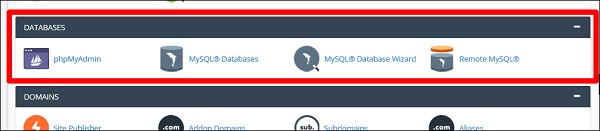
edit, add, truncate databases and tables. The MySQL Databases allows you to create and delete the databases or users. The same thing can be done step by step with the MySQL Database Wizard.
In the DATABASES, the phpMyAdmin is the most important
section which allows you to manage the database of the webpages. It can
edit, add, truncate databases and tables. The MySQL Databases allows you to create and delete the databases or users. The same thing can be done step by step with the MySQL Database Wizard.
 In the DOMAINS section, the Addon Domains folder is an
additional domain that the system stores as a subdomain of your main
site. You can use these Addon Domains to host additional domains on your
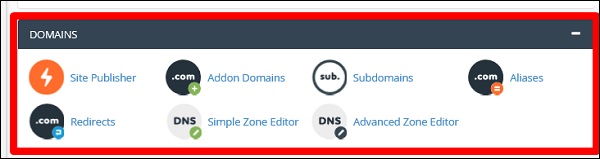
account. The Site Publisher is used to quickly create a website from a set of available templates. The Subdomains folder is a subsection of your website that can exist as a new website without a new domain name.
In the DOMAINS section, the Addon Domains folder is an
additional domain that the system stores as a subdomain of your main
site. You can use these Addon Domains to host additional domains on your
account. The Site Publisher is used to quickly create a website from a set of available templates. The Subdomains folder is a subsection of your website that can exist as a new website without a new domain name.
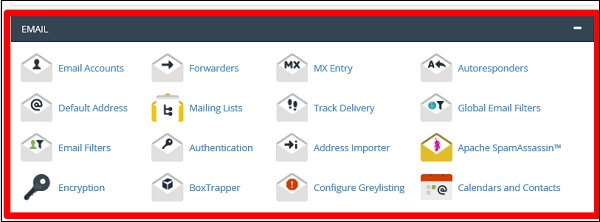
 In the EMAIL section, the most important folder is Email Accounts in which you can manage email accounts associated with your domain.
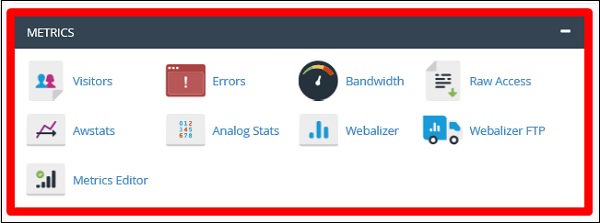
 The Metrics section is more for statistics of your website. You can see each one will give different reports for your website.
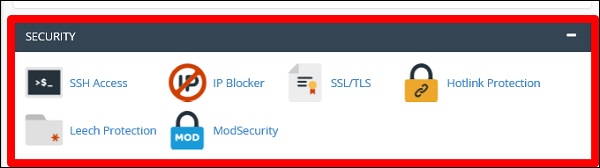
 In the SECURITY section, the most important folder is IP Blocker, you can block any host or network that you don’t want to give access to your website. There is also ModSecurity that is used to secure Apache.
Some web hosts use customized, proprietary control panels, but most of them use popular platforms. However, the leader of the industry is cPanel. It is the most spread out control panel among the hosting providers. The official webpage of cPanel is – https://cpanel.com.
Now let us discuss cPanel in detail and understand the most important aspects of it.
Firstly, to enter the CPanel you should type in the URL which the Hosting Company will give to you. This in general should be – yourdomain.com/cpanel. You should then enter your username and password which the hosting company has given you.
The main dashboard will be as shown in the following screenshot, where on the left-hand side, you will see the General Information,
which will show the username, domain name, home directory and the IP
address of the log in. On the left towards the bottom of the screen are
the Statistics like databases used, email and the add-on Domains.
In the FILES section, the most important folder is of the File Manager, you can upload or download files of your webpage. The next important is FTP Accounts, where you can create users that can use programs like FileZilla to upload or download files.
Taking a backup of the FILES section allows you to fully or partially download the webpage.
In the DATABASES, the phpMyAdmin is the most important
section which allows you to manage the database of the webpages. It can
edit, add, truncate databases and tables. The MySQL Databases allows you to create and delete the databases or users. The same thing can be done step by step with the MySQL Database Wizard.
In the DOMAINS section, the Addon Domains folder is an
additional domain that the system stores as a subdomain of your main
site. You can use these Addon Domains to host additional domains on your
account. The Site Publisher is used to quickly create a website from a set of available templates. The Subdomains folder is a subsection of your website that can exist as a new website without a new domain name.
In the EMAIL section, the most important folder is Email Accounts in which you can manage email accounts associated with your domain.
The Metrics section is more for statistics of your website. You can see each one will give different reports for your website.
In the SECURITY section, the most important folder is IP Blocker, you can block any host or network that you don’t want to give access to your website. There is also ModSecurity that is used to secure Apache.

No comments:
Post a Comment