
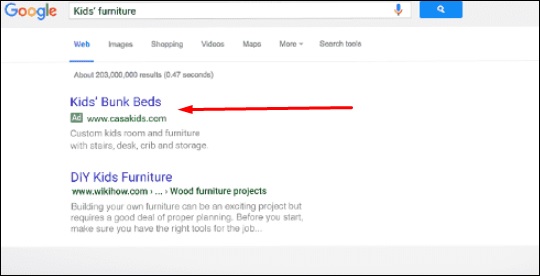
This is an advertising program from Google, where you can register
and can pay them based on the number of clicks on your website link or
based on the number of page impressions. Webpages from Google and from
partner websites are designed to allow Google to select and display the
advertising.
Step 1 − To create an AdWords campaign, you must first create an account by clicking on the following link – https://adwords.google.com/um/signin
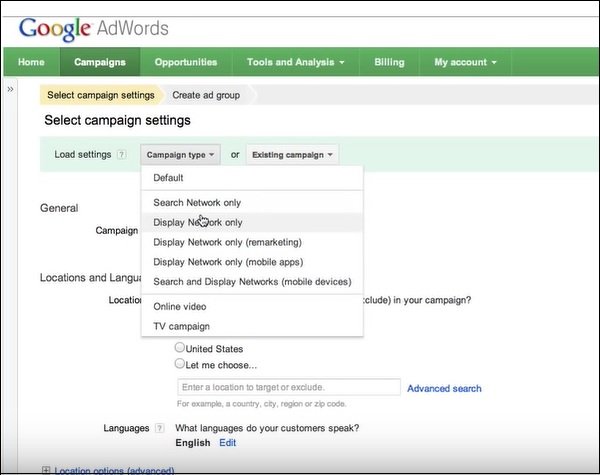
Step 2 − After logging in, click on Campaigns, select the type of load and location as shown in the following screenshot. AdWords is like Facebook Advertisements.
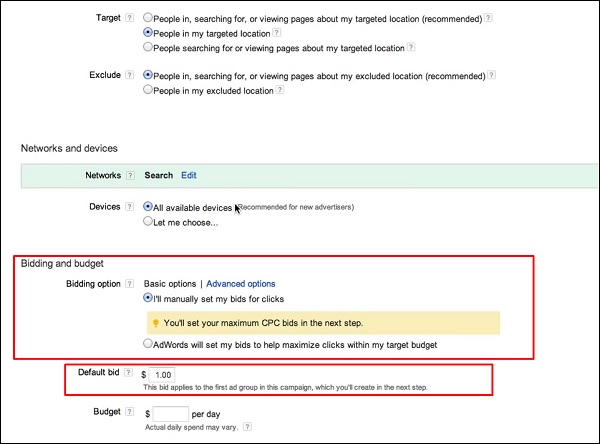
 Step 3 − Click on the Radio button for the target that you
want as shown in the picture below. Also, you have to bid the budget.
How much do you want to spend per click?
Step 3 − Click on the Radio button for the target that you
want as shown in the picture below. Also, you have to bid the budget.
How much do you want to spend per click?
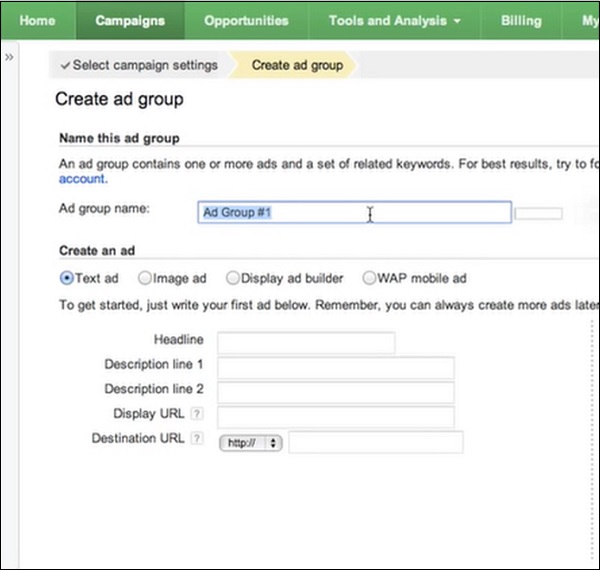
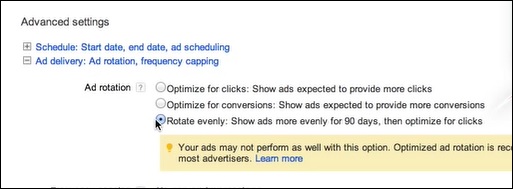 Step 4 − Put a group name and then fill the Headlines and Description Fields for the AdWords that have to be created.
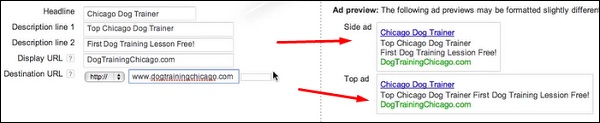
 While you are filling in the details, you can see on the left preview
pane how the AdWords are going to look once they are created.
While you are filling in the details, you can see on the left preview
pane how the AdWords are going to look once they are created.
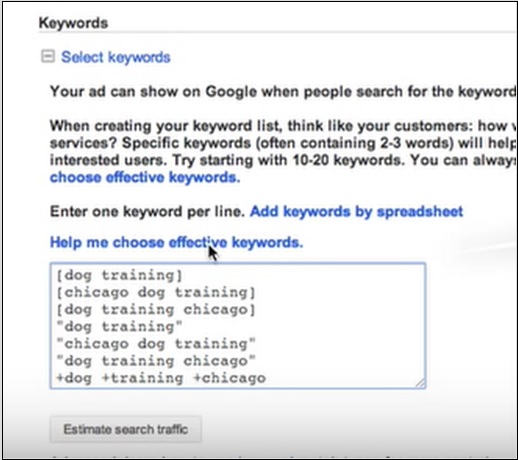
 Step 5 − Select such Keywords that the search engine will show when people do searching.
How to Create an AdWords Campaign?
To create an AdWords Campaign, you should follow the steps given below.Step 1 − To create an AdWords campaign, you must first create an account by clicking on the following link – https://adwords.google.com/um/signin
Step 2 − After logging in, click on Campaigns, select the type of load and location as shown in the following screenshot. AdWords is like Facebook Advertisements.
Step 3 − Click on the Radio button for the target that you
want as shown in the picture below. Also, you have to bid the budget.
How much do you want to spend per click?
Step 4 − Put a group name and then fill the Headlines and Description Fields for the AdWords that have to be created.
While you are filling in the details, you can see on the left preview
pane how the AdWords are going to look once they are created.
Step 5 − Select such Keywords that the search engine will show when people do searching.

No comments:
Post a Comment