
Contents of another XML document (especially HTML document) can be
included by using inclusion tags in the current document. In order to
enable such an inclusion, XInclude namespace must be declared in the
root element of the HTML document.
 This way the modular construction of views can be achieved. If the
resource mentioned in xi:include directive is not available, an error
will be raised. In such a case an alternative resource may be loaded by
using xi:fallback.
This way the modular construction of views can be achieved. If the
resource mentioned in xi:include directive is not available, an error
will be raised. In such a case an alternative resource may be loaded by
using xi:fallback.
Add following controller in root.py.
<html xmlns = "http://www.w3.org/1999/xhtml" xmlns:xi = "http://www.w3.org/2001/XInclude >The above declaration specifies that include directive contains ‘xi’ prefix. To add contents of another html page in the current document, use xi:include directive as follows −
<xi:include href = "somepage.html" />In the following example, root.py contains include() controller, which exposes include.html.
from hello.lib.base import BaseController
from tg import expose, request

class RootController(BaseController):
   @expose('hello.templates.include')
   def include(self):
      return {}
Heading and Footer HTML
In include.html, include namespace is declared and contents of heading.html and footer.html are added. Here is the HTML script of templates\include.html −<html xmlns = "http://www.w3.org/1999/xhtml" xmlns:xi = "http://www.w3.org/2001/XInclude"> <head> <title>TurboGears Templating Example</title> </head> <body> <xi:include href = "heading.html" /> <h2>main content </h2> <xi:include href = "footer.html" /> </body> </html>Here is the templates\heading.html code −
<html>
   <head>
      <title>TurboGears Templating Example</title>
   </head>

   <body>
      <h1>This is page Header</h1>
   </body>
</html>
The following is the templates\footer.html
<html>
   <head>
      <title>TurboGears Templating Example</title>
   </head>

   <body>
      <h3>This is page footer</h3>
   </body>
</html>
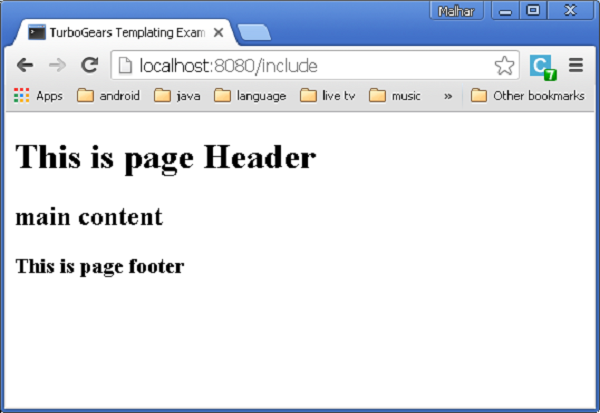
Start the development using a gearbox and enter http://localhost:8080/include in the browser. The output rendered will be as shown below −
This way the modular construction of views can be achieved. If the
resource mentioned in xi:include directive is not available, an error
will be raised. In such a case an alternative resource may be loaded by
using xi:fallback.<xi:include href = “main.html”> <xi:fallback href = ”default.html”/> </xi.include>Inclusion of content can be made dynamic as href attribute that can contain expressions.
Add following controller in root.py.
@expose('hello.templates.ref-include')
   def refinclude(self):
      return {'pages':['heading','main','footer']}
Save following code as ref-include.html in templates folder.
<html xmlns = "http://www.w3.org/1999/xhtml"
   xmlns:py = "http://genshi.edgewall.org/"
   xmlns:xi = "http://www.w3.org/2001/XInclude">

   <head>
      <title>TurboGears Templating Example</title>
   </head>

   <body>
      <xi:include href = "${name}.html" py:for = "name in pages" />
   </body>

</html>
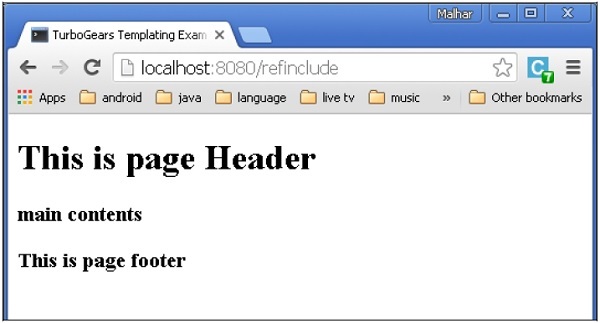
Before starting the server make sure that templates folder has a heading.html, main.html and footer.html. Enter http://localhost:8082/refinclude in the browser to get the following output


No comments:
Post a Comment