
We will take an example in this chapter to explain how to put jBPM
into practice. The task at hand is to use jBPM to decide whether a
passenger will board a flight or a train, depending upon his income.
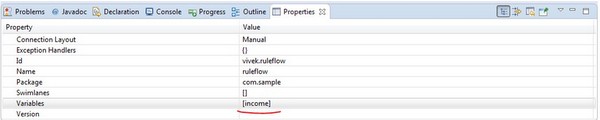
Steps to create the project remains the same as that of "Hello World" project. Open the .rf file in the editor, and see the changes as marked in red −
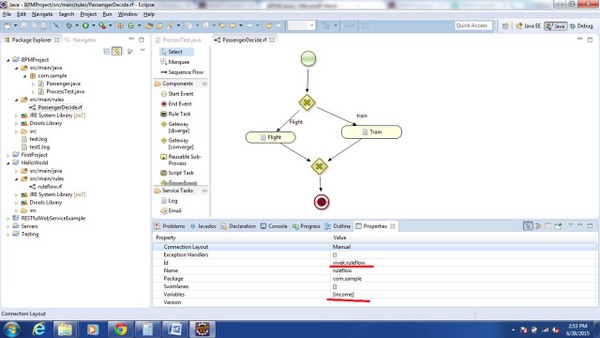 Here, we have changed the ruleflow id (unique) and added a variable
income, as we will be deciding the route based on the income of the
passenger.
Here, we have changed the ruleflow id (unique) and added a variable
income, as we will be deciding the route based on the income of the
passenger.
How to set variable − Select the edit button marked in red.
 Click the Add button −
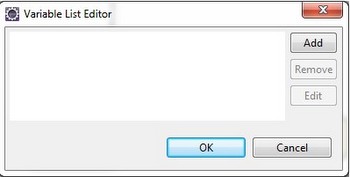 The following screen pops up −
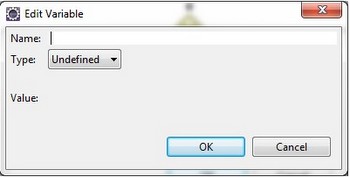 Put name as income and type as Integer.
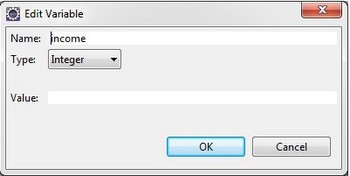 Click OK. You will see the income variable defined now.
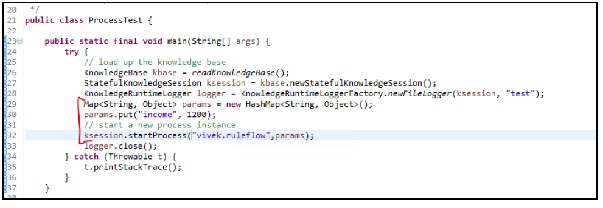
 Changes to be done in ProcessTest.java class (Class to load and run your process) −
Before running the ProcessTest.java class, create a POJO Passenger.java in the same package as ProcessTest.java
 Change the value − params.put("income", 900); and re-run the class and see the change in output.
Steps to create the project remains the same as that of "Hello World" project. Open the .rf file in the editor, and see the changes as marked in red −
Here, we have changed the ruleflow id (unique) and added a variable
income, as we will be deciding the route based on the income of the
passenger.How to set variable − Select the edit button marked in red.
Click the Add button −
The following screen pops up −
Put name as income and type as Integer.
Click OK. You will see the income variable defined now.
Changes to be done in ProcessTest.java class (Class to load and run your process) −
Map<String, Object> params = new HashMap<String, Object>();
params.put("income", 1200);

// start a new process instance
ksession.startProcess("vivek.ruleflow", params);
You need to create a MAP and set the value in MAP and pass this value to the startProcess overloaded method. As depicted, we have changed the ruleflow id and hence used the same id (vivek.ruleflow) in the startProcess method.
Before running the ProcessTest.java class, create a POJO Passenger.java in the same package as ProcessTest.java
public class Passenger {
   private String name;
   private int income;
   Getters and setters here
}
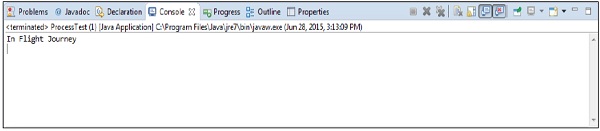
Now run the ProcessTest.java class as a Java Application and see the output −
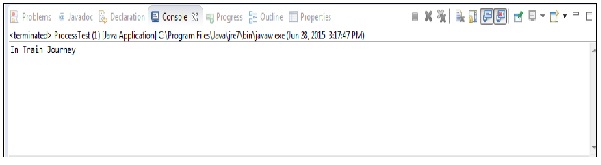
Change the value − params.put("income", 900); and re-run the class and see the change in output.

No comments:
Post a Comment