
Building a Java Project
A project can have zero or more builders associated with it. A java project is associated with a java builder. To see the builders associated with a project −- In the Package Explorer view right click on the project and select Properties.
- In the left hand side tree click Builders.
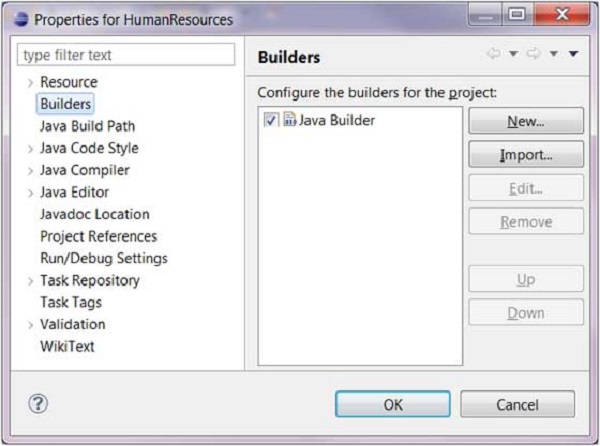 It's the java builder that distinguishes a Java project from other
types of projects. By click on the New button you can associate the Ant
builder with a java project. The java builder is responsible for
compiling the java source code and generating classes.
It's the java builder that distinguishes a Java project from other
types of projects. By click on the New button you can associate the Ant
builder with a java project. The java builder is responsible for
compiling the java source code and generating classes.The java builder is notified of changes to the resources in a workspace and can automatically compile java code. To disable automatic compilation deselect the Build Automatically option from the Project menu.
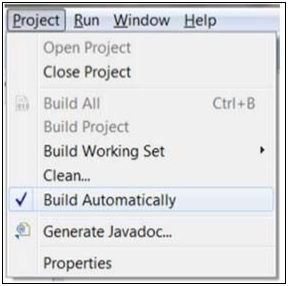 If automatic compilation is disabled then you can explicitly build a
project by selecting the Build Project menu item on the Project menu.
The Build Project menu item is disabled if the Build Automatically menu
item is selected.
If automatic compilation is disabled then you can explicitly build a
project by selecting the Build Project menu item on the Project menu.
The Build Project menu item is disabled if the Build Automatically menu
item is selected.

No comments:
Post a Comment