
W3.CSS provides options to display images in beautiful and interesting ways using w3-image as the main class.
| Class Name | Description |
|---|---|
| w3-image | Represents a basic styled image without any border. |
| w3-circle | Displays an image within a circle |
| w3-title | Used to put text over an image. |
| w3-card | Draws an image as a card. |
Example
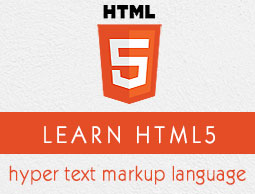
w3css_images.htm<html> <head> <title>The W3.CSS Images</title> <meta name="viewport" content="width=device-width, initial-scale=1"> <link rel="stylesheet" href="https://www.w3schools.com/lib/w3.css"> </head> <body class="w3-container"> <h2>Images Demo</h2> <hr/> <h3>Simple Image</h3> <div class="w3-image"> <img src="html5-mini-logo.jpg" alt="html5"> </div> <h3>Circled Image</h3> <div class="w3-image"> <img src="html5-mini-logo.jpg" alt="html5" class="w3-circle"> </div> <h3>Text over image</h3> <div class="w3-image"> <img src="html5-mini-logo.jpg" alt="html5"> <div class="w3-title w3-text-black">Learn HTML5</div> </div> <h3>Image as a card</h3> <div class="w3-image"> <img src="html5-mini-logo.jpg" alt="html5" class="w3-card-4"> </div> </body> </html>
Result
Verify the result.Images Demo
Simple Image
Circled Image
Text over image
Learn HTML5
Image as a card


No comments:
Post a Comment