
Forms are an intergral part of the web. Almost every website we visit
offers us forms that submit or fetch some information for us. To get
started with forms, we will first install the koa-body To install this, go to your terminal and use:
Let us create a html form to test this out! Create a new view called form.pug with the following code:
 Have a look at your console, it'll show you the body of your request as a JavaScript object. For example:
 The this.request.body object contains your parsed request body. To use fields from that object, just use them like normal JS objects.
This is just one way to send a request. There are many other ways, but those are irrelevent to cover here, because our Koa app will handle all those requests in the same way. To read more about different ways to make a request, have a look at this page.
$ npm install --save koa-bodyReplace your app.js file contents with the following code:
var koa = require('koa');
var router = require('koa-router');
var bodyParser = require('koa-body');
var app = koa();

//Set up Pug
var Pug = require('koa-pug');
var pug = new Pug({
  viewPath: './views',
  basedir: './views',
  app: app //Equivalent to app.use(pug)
});

//Set up body parsing middleware
app.use(bodyParser({
    formidable:{uploadDir: './uploads'},
    multipart: true,
    urlencoded: true
}));

_.get('/', renderForm);
_.post('/', handleForm);

function * renderForm(){
    this.render('form');
}
function *handleForm(){
    console.log(this.request.body);
    console.log(this.req.body);
    this.body = this.request.body; //This is where the parsed request is stored
}

app.use(_.routes());

app.listen(3000);
The new things we are doing here are importing the body parser and multer. We are using body parser for parsing json and x-www-form-urlencoded header requests, while we use multer for parsing multipart/form-data.
Let us create a html form to test this out! Create a new view called form.pug with the following code:
html
    head
        title Form Tester
    body
        form(action="/", method="POST")
            div
                label(for="say") Say:
                input(name="say" value="Hi")
            br
            div
                label(for="to") To:
                input(name="to" value="Koa form")
            br
            button(type="submit") Send my greetings
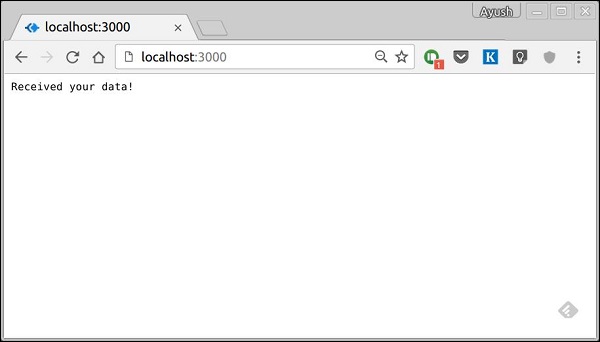
Run your server using:nodemon index.jsNow go to localhost:3000/ and fill the form as you like, and submit it. You'll get the response as:
Have a look at your console, it'll show you the body of your request as a JavaScript object. For example:
The this.request.body object contains your parsed request body. To use fields from that object, just use them like normal JS objects.This is just one way to send a request. There are many other ways, but those are irrelevent to cover here, because our Koa app will handle all those requests in the same way. To read more about different ways to make a request, have a look at this page.


No comments:
Post a Comment