
Web applications need to provide the functionality to allow file
uploads. Let us see how we can receive files from the clients and store
them on our server.
We have already used the koa-body middleware for parsing requests. This middleware is also used for handling file uploads. Let us create a form that allows us to upload files and then save these files using koa. First create a template called file_upload.pug with the following contents:
 When you submit this, your console will show you an output like:
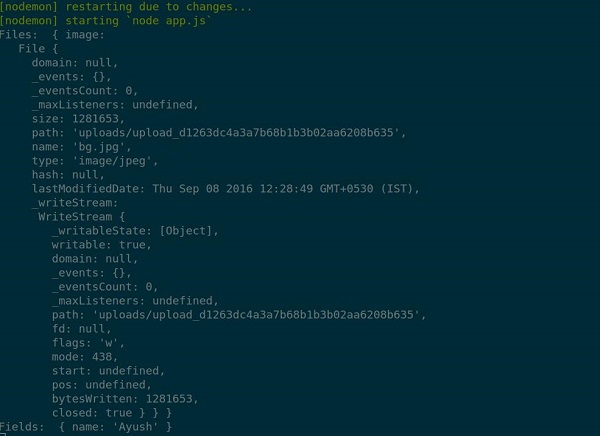 The files that were uploaded are stored in the path in above output. You can access the files in the request using this.request.body.files and the fields in that request by this.request.body.fields.
We have already used the koa-body middleware for parsing requests. This middleware is also used for handling file uploads. Let us create a form that allows us to upload files and then save these files using koa. First create a template called file_upload.pug with the following contents:
html
    head
        title File uploads
    body
        form(action="/upload" method="POST" enctype="multipart/form-data")
            div
                input(type="text" name="name" placeholder="Name")
            div
                input(type="file" name="image")
            div
                input(type="submit")
Note that you need to give the same encoding type as above in your form. Now let us handle this data on our server:
var koa = require('koa');
var router = require('koa-router');
var bodyParser = require('koa-body');
var app = koa();

//Set up Pug
var Pug = require('koa-pug');
var pug = new Pug({
  viewPath: './views',
  basedir: './views',
  app: app
});

//Set up body parsing middleware
app.use(bodyParser({
    formidable:{uploadDir: './uploads'},    //This is where the files would come
    multipart: true,
    urlencoded: true
}));

var _ = router(); //Instantiate the router

_.get('/files', renderForm);
_.post('/upload', handleForm);

function * renderForm(){
    this.render('file_upload');
}
function *handleForm(){
    console.log("Files: ", this.request.body.files);
    console.log("Fields: ", this.request.body.fields);
    this.body = "Received your data!"; //This is where the parsed request is stored
}

app.use(_.routes());

app.listen(3000);
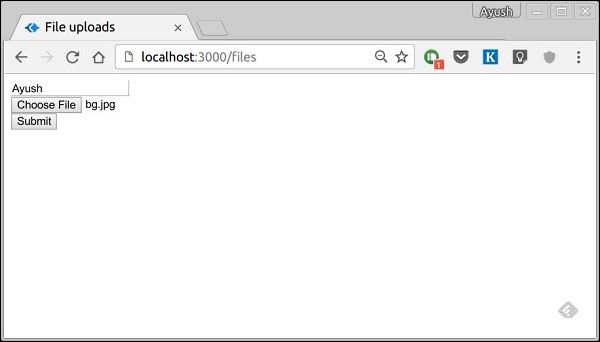
When you run this you get a form:
When you submit this, your console will show you an output like:
The files that were uploaded are stored in the path in above output. You can access the files in the request using this.request.body.files and the fields in that request by this.request.body.fields.

No comments:
Post a Comment