
The shipping method you use within Amazon is of your choice,
considering it meets the customers chosen timeframe. As mentioned
earlier, it is beneficial to go by FBA (Fulfillment by Amazon) Service.
The less time you spend each day arranging for proper packaging, the
more time you will have in finding and listing new products.
There are many Amazon customers who want a complete Amazon experience. They want Amazon to handle the shipping. Some others may prefer buying products from non-FBA merchants, only if the price difference is remarkable or there is no Amazon shipping option.
Amazon also offers Fulfillment by Amazon (FBA) service. All you need to do is just ship your product to an Amazon warehouse and Amazon is responsible for packing and shipping the product for you. Thus, you can smoothly operate your Amazon account sitting anywhere across the globe.
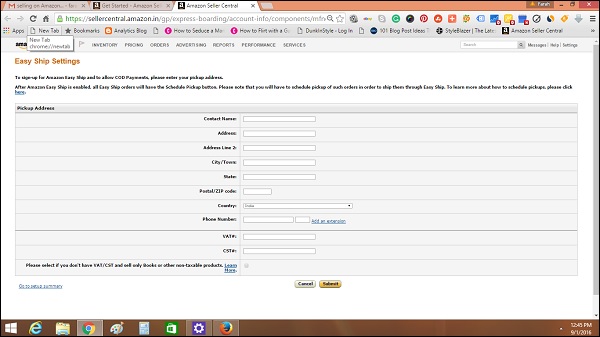
There are many Amazon customers who want a complete Amazon experience. They want Amazon to handle the shipping. Some others may prefer buying products from non-FBA merchants, only if the price difference is remarkable or there is no Amazon shipping option.
Manage Shipping
You can either manage shipping yourself or can rely upon Amazon for the same. If you take charge of shipping, then Amazon takes an order and sends the requisite information to you. You will be responsible for packing and shipping the product to the customer.Amazon also offers Fulfillment by Amazon (FBA) service. All you need to do is just ship your product to an Amazon warehouse and Amazon is responsible for packing and shipping the product for you. Thus, you can smoothly operate your Amazon account sitting anywhere across the globe.
Shipping to Amazon Warehouse
Suppose you wish to work with the Amazon FBA service and want Amazon to handle the shipping. In this case, you need to follow the steps given below −- Sign up for an FBA account and choose the Amazon shipping button while listing the product and click the ‘Save and Finish’ button. The product needs to be shipped to the appropriate Amazon Warehouse for it to be shipped.
- Create a new shipping plan which includes all the information about the shipment to be shipped to Amazon. The address from where the product will be shipped is the address you entered while setting your account. However, you can change this address by entering another Ship-From address.
- Next, you need to enter the detail of the product type, whether you are shipping individual products or case-packed products.
- If you are shipping a dozen of used mobiles, each with a different model, or having the same model but varying condition will be listed as an individual product. Amazon will scan the barcode of every individual item that you send.
- On the contrary, if you are shipping a dozen identical units, all with the same SKU number and same condition, then the shipment will be listed as a casepacked shipment. Amazon will just check the barcode of only one item from each case and enter the number of items.


No comments:
Post a Comment