
Handling Cookie with CakePHP is easy and secure. There is a
CookieComponent class which is used for managing Cookie. The class
provides several methods for working with Cookies.
config/routes.php
src/Controller/Cookies/CookiesController.php
src/Template/Cookie/write_cookie.ctp
src/Template/Cookie/read_cookie.ctp
src/Template/Cookie/check_cookie.ctp
src/Template/Cookie/delete_cookie.ctp
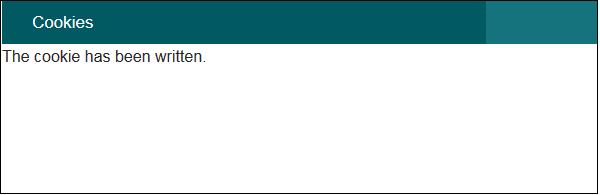
This will help you write data in cookie.
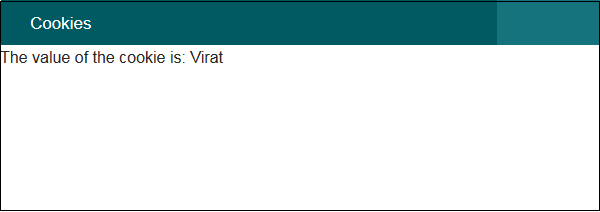
 Visit the following URL to read cookie data − http://localhost:85/CakePHP/cookie/read
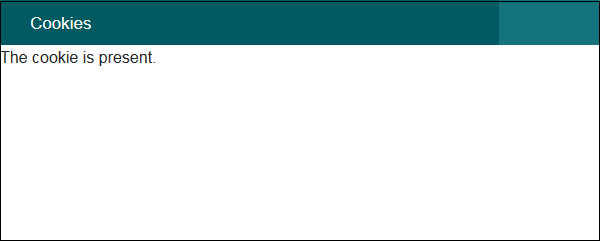
 Visit the following URL to check cookie data − http://localhost:85/CakePHP/cookie/check
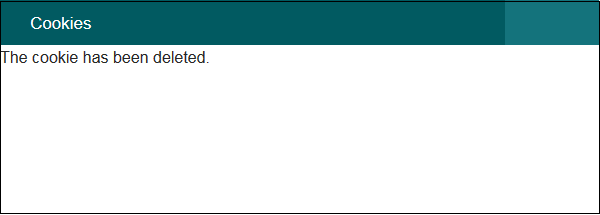
 Visit the following URL to delete cookie data − http://localhost:85/CakePHP/cookie/delete
Write Cookie
The write() method is used to write cookie. Following is the syntax of the write() method.Cake\Controller\Component\CookieComponent::write(mixed $key, mixed $value = null)The write() method will take two arguments, the name of cookie variable ($key), and the value of cookie variable ($value).
Example
$this->Cookie->write('name', 'Virat');
We can pass array of name, values pair to write multiple cookies.Read Cookie
The read() method is used to read cookie. Following is the syntax of the read() method.Cake\Controller\Component\CookieComponent::read(mixed $key = null)The read() method will take one argument, the name of cookie variable ($key).
Example
echo $this->Cookie->read('name');
Check Cookie
The check() method is used to check whether a key/path exists and has a non-null value. Following is the syntax of the check() method.Cake\Controller\Component\CookieComponent::check($key)
Example
echo $this->Cookie->check(‘name’);
Delete Cookie
The delete() method is used to delete cookie. Following is the syntax of the delete() method.Cake\Controller\Component\CookieComponent::delete(mixed $key)The delete() method will take one argument, the name of cookie variable ($key) to delete.
Example 1
$this->Cookie->delete('name');
Example 2
Make changes in the config/routes.php file as shown in the following program.config/routes.php
<?php
   use Cake\Core\Plugin;
   use Cake\Routing\RouteBuilder;
   use Cake\Routing\Router;

   Router::defaultRouteClass('DashedRoute');
   Router::scope('/', function (RouteBuilder $routes) {
      $routes->connect('cookie/write',['controller'=>'Cookies','action'=>'write_cookie']);
      $routes->connect('cookie/read',['controller'=>'Cookies','action'=>'read_cookie']);
      $routes->connect('cookie/check',['controller'=>'Cookies','action'=>'check_cookie']);
      $routes->connect('cookie/delete',['controller'=>'Cookies','action'=>'delete_cookie']);
      $routes->fallbacks('DashedRoute');
   });
   Plugin::routes();
Create a CookiesController.php file at src/Controller/CookiesController.php. Copy the following code in the controller file.
src/Controller/Cookies/CookiesController.php
<?php
   namespace App\Controller;
   use App\Controller\AppController;
   use Cake\Controller\Component\CookieComponent;

   class CookiesController extends AppController{
      public $components = array('Cookie');

      public function writeCookie(){
         $this->Cookie->write('name', 'Virat');
      }
      public function readCookie(){
         $cookie_val = $this->Cookie->read('name');
         $this->set('cookie_val',$cookie_val);
      }
      public function checkCookie(){
         $isPresent = $this->Cookie->check('name');
         $this->set('isPresent',$isPresent);
      }
      public function deleteCookie(){
         $this->Cookie->delete('name');
      }
   }
?>
Create a directory Cookies at src/Template and under that directory create a View file called write_cookie.ctp. Copy the following code in that file.
src/Template/Cookie/write_cookie.ctp
The cookie has been written.Create another View file called read_cookie.ctp under the same Cookies directory and copy the following code in that file.
src/Template/Cookie/read_cookie.ctp
The value of the cookie is: <?php echo $cookie_val; ?>Create another View file called check_cookie.ctp under the same Cookies directory and copy the following code in that file.
src/Template/Cookie/check_cookie.ctp
<?php
   if($isPresent):
?>
The cookie is present.

<?php
   else:
?>
The cookie isn't present.

<?php
   endif;
?>
Create another View file called delete_cookie.ctp under the same Cookies directory and copy the following code in that file.
src/Template/Cookie/delete_cookie.ctp
The cookie has been deleted.
Output
Execute the above example by visiting the following URL − http://localhost:85/CakePHP/cookie/writeThis will help you write data in cookie.
Visit the following URL to read cookie data − http://localhost:85/CakePHP/cookie/read
Visit the following URL to check cookie data − http://localhost:85/CakePHP/cookie/check
Visit the following URL to delete cookie data − http://localhost:85/CakePHP/cookie/delete

No comments:
Post a Comment