
Before starting, note that the Django Comments framework is
deprecated, since the 1.5 version. Now you can use external feature for
doing so, but if you still want to use it, it's still included in
version 1.6 and 1.7. Starting version 1.8 it's absent but you can still
get the code on a different GitHub account.
The comments framework makes it easy to attach comments to any model in your app.
To start using the Django comments framework −
Edit the project settings.py file and add 'django.contrib.sites', and 'django.contrib.comments', to INSTALLED_APPS option −
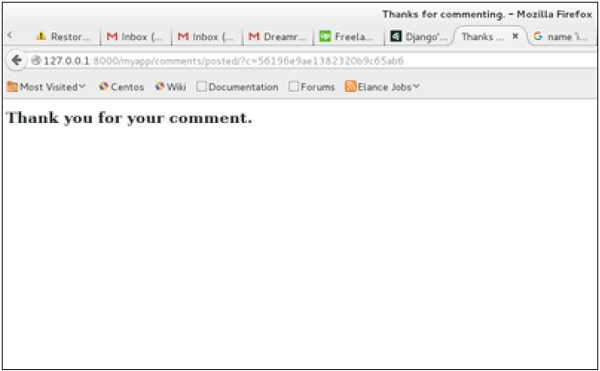
 On posting a comment, you will get redirected to the following page −
 If you go to /myapp/hello/steve again, you will get to see the following page −
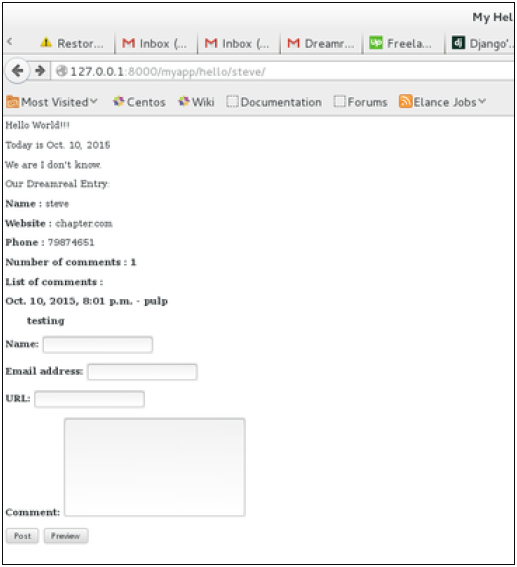 As you can see, the number of comments is 1 now and you have the comment under the list of comments line.
The comments framework makes it easy to attach comments to any model in your app.
To start using the Django comments framework −
Edit the project settings.py file and add 'django.contrib.sites', and 'django.contrib.comments', to INSTALLED_APPS option −
INSTALLED_APPS += ('django.contrib.sites', 'django.contrib.comments',)Get the site id −
>>> from django.contrib.sites.models import Site
>>> Site().save()
>>> Site.objects.all()[0].id
u'56194498e13823167dd43c64'
Set the id you get in the settings.py file −
SITE_ID = u'56194498e13823167dd43c64'Sync db, to create all the comments table or collection −
python manage.py syncdbAdd the comment app’s URLs to your project’s urls.py −
from django.conf.urls import include
url(r'^comments/', include('django.contrib.comments.urls')),
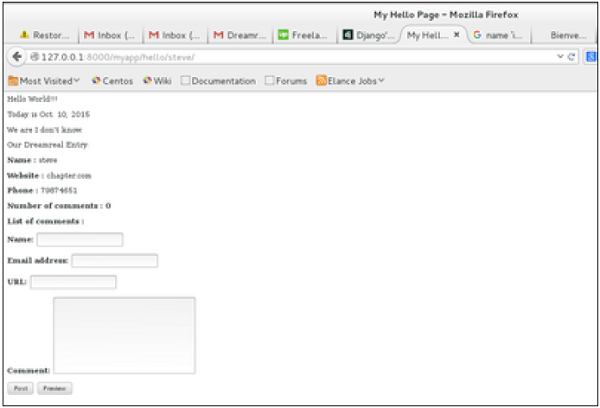
Now that we have the framework installed, let's change our hello templates to tracks comments on our Dreamreal model. We will list, save comments for a specific Dreamreal entry whose name will be passed as parameter to the /myapp/hello URL.
Dreamreal Model
class Dreamreal(models.Model):

   website = models.CharField(max_length = 50)
   mail = models.CharField(max_length = 50)
   name = models.CharField(max_length = 50)
   phonenumber = models.IntegerField()

   class Meta:
      db_table = "dreamreal"
hello view
def hello(request, Name):
   today = datetime.datetime.now().date()
   daysOfWeek = ['Mon', 'Tue', 'Wed', 'Thu', 'Fri', 'Sat', 'Sun']
   dreamreal = Dreamreal.objects.get(name = Name)
   return render(request, 'hello.html', locals())
hello.html template
{% extends "main_template.html" %}
{% load comments %}
{% block title %}My Hello Page{% endblock %}
{% block content %}

<p>
   Our Dreamreal Entry:
   <p><strong>Name :</strong> {{dreamreal.name}}</p>
   <p><strong>Website :</strong> {{dreamreal.website}}</p>
   <p><strong>Phone :</strong> {{dreamreal.phonenumber}}</p>
   <p><strong>Number of comments :<strong>
   {% get_comment_count for dreamreal as comment_count %} {{ comment_count }}</p>
   <p>List of comments :</p>
   {% render_comment_list for dreamreal %}
</p>

{% render_comment_form for dreamreal %}
{% endblock %}
Finally the mapping URL to our hello view −
url(r'^hello/(?P<Name>\w+)/', 'hello', name = 'hello'),Now,
- In our template (hello.html), load the comments framework with − {% load comments %}
- We get the number of comments for the Dreamreal object pass by the view − {% get_comment_count for dreamreal as comment_count %}
- We get the list of comments for the objects − {% render_comment_list for dreamreal %}
- We display the default comments form − {% render_comment_form for dreamreal %}
On posting a comment, you will get redirected to the following page −
If you go to /myapp/hello/steve again, you will get to see the following page −
As you can see, the number of comments is 1 now and you have the comment under the list of comments line.

No comments:
Post a Comment