
Django comes with a ready and easy-to-use light engine to send
e-mail. Similar to Python you just need an import of smtplib. In Django
you just need to import django.core.mail. To start sending e-mail, edit
your project settings.py file and set the following options −
 send_mass_mail parameters details are −
Note − In this example we are using Python smtp debuggingserver, that you can launch using −
Sending e-mails to admins and managers using mail_admins and mail_managers methods
These methods send e-mails to site administrators as defined in the ADMINS option of the settings.py file, and to site managers as defined in MANAGERS option of the settings.py file. Let's assume our ADMINS and MANAGERS options look like −
ADMINS = (('polo', 'polo@polo.com'),)
MANAGERS = (('popoli', 'popoli@polo.com'),)
Parameters details −
But for Django < 1.7 sending HTML messages is done via the django.core.mail.EmailMessage class then calling 'send' on the object −
Let's create a "sendHTMLEmail" view to send an HTML e-mail.
A view to send an e-mail with attachment will be −
- EMAIL_HOST − smtp server.
- EMAIL_HOST_USER − Login credential for the smtp server.
- EMAIL_HOST_PASSWORD − Password credential for the smtp server.
- EMAIL_PORT − smtp server port.
- EMAIL_USE_TLS or _SSL − True if secure connection.
Sending a Simple E-mail
Let's create a "sendSimpleEmail" view to send a simple e-mail.from django.core.mail import send_mail from django.http import HttpResponse def sendSimpleEmail(request,emailto): res = send_mail("hello paul", "comment tu vas?", "paul@polo.com", [emailto]) return HttpResponse('%s'%res)Here is the details of the parameters of send_mail −
- subject − E-mail subject.
- message − E-mail body.
- from_email − E-mail from.
- recipient_list − List of receivers’ e-mail address.
- fail_silently − Bool, if false send_mail will raise an exception in case of error.
- auth_user − User login if not set in settings.py.
- auth_password − User password if not set in settings.py.
- connection − E-mail backend.
- html_message − (new in Django 1.7) if present, the e-mail will be multipart/alternative.
from django.conf.urls import patterns, url

urlpatterns = paterns('myapp.views', url(r'^simpleemail/(?P<emailto>
   [\w.%+-]+@[A-Za-z0-9.-]+\.[A-Za-z]{2,4})/',
   'sendSimpleEmail' , name = 'sendSimpleEmail'),)
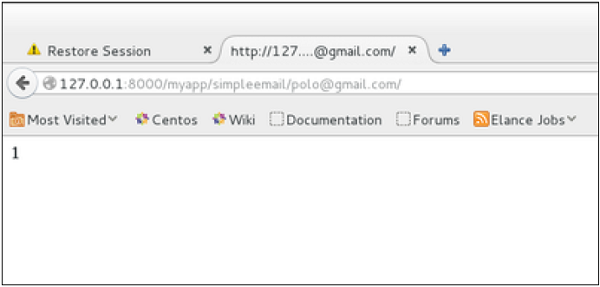
So when accessing /myapp/simpleemail/polo@gmail.com, you will get the following page −
Sending Multiple Mails with send_mass_mail
The method returns the number of messages successfully delivered. This is same as send_mail but takes an extra parameter; datatuple, our sendMassEmail view will then be −from django.core.mail import send_mass_mail from django.http import HttpResponse def sendMassEmail(request,emailto): msg1 = ('subject 1', 'message 1', 'polo@polo.com', [emailto1]) msg2 = ('subject 2', 'message 2', 'polo@polo.com', [emailto2]) res = send_mass_mail((msg1, msg2), fail_silently = False) return HttpResponse('%s'%res)Let's create a URL to access our view −
from django.conf.urls import patterns, url

urlpatterns = paterns('myapp.views', url(r'^massEmail/(?P<emailto1>
   [\w.%+-]+@[A-Za-z0-9.-]+\.[A-Za-z]{2,4})/(?P<emailto2>
   [\w.%+-]+@[A-Za-z0-9.-]+\.[A-Za-z]{2,4})', 'sendMassEmail' , name = 'sendMassEmail'),)
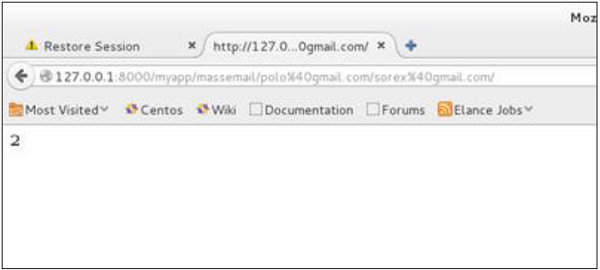
When accessing /myapp/massemail/polo@gmail.com/sorex@gmail.com/, we get −
send_mass_mail parameters details are −- datatuples − A tuple where each element is like (subject, message, from_email, recipient_list).
- fail_silently − Bool, if false send_mail will raise an exception in case of error.
- auth_user − User login if not set in settings.py.
- auth_password − User password if not set in settings.py.
- connection − E-mail backend.
Note − In this example we are using Python smtp debuggingserver, that you can launch using −
$python -m smtpd -n -c DebuggingServer localhost:1025This means all your sent e-mails will be printed on stdout, and the dummy server is running on localhost:1025.
Sending e-mails to admins and managers using mail_admins and mail_managers methods
These methods send e-mails to site administrators as defined in the ADMINS option of the settings.py file, and to site managers as defined in MANAGERS option of the settings.py file. Let's assume our ADMINS and MANAGERS options look like −
ADMINS = (('polo', 'polo@polo.com'),)
MANAGERS = (('popoli', 'popoli@polo.com'),)
from django.core.mail import mail_admins
from django.http import HttpResponse

def sendAdminsEmail(request):
   res = mail_admins('my subject', 'site is going down.')
   return HttpResponse('%s'%res)
The above code will send an e-mail to every admin defined in the ADMINS section.
from django.core.mail import mail_managers
from django.http import HttpResponse

def sendManagersEmail(request):
   res = mail_managers('my subject 2', 'Change date on the site.')
   return HttpResponse('%s'%res)
The above code will send an e-mail to every manager defined in the MANAGERS section.
Parameters details −
- Subject − E-mail subject.
- message − E-mail body.
- fail_silently − Bool, if false send_mail will raise an exception in case of error.
- connection − E-mail backend.
- html_message − (new in Django 1.7) if present, the e-mail will be multipart/alternative.
Sending HTML E-mail
Sending HTML message in Django >= 1.7 is as easy as −from django.core.mail import send_mail from django.http import HttpResponse res = send_mail("hello paul", "comment tu vas?", "paul@polo.com", ["polo@gmail.com"], html_message=")This will produce a multipart/alternative e-mail.
But for Django < 1.7 sending HTML messages is done via the django.core.mail.EmailMessage class then calling 'send' on the object −
Let's create a "sendHTMLEmail" view to send an HTML e-mail.
from django.core.mail import EmailMessage
from django.http import HttpResponse

def sendHTMLEmail(request , emailto):
   html_content = "<strong>Comment tu vas?</strong>"
   email = EmailMessage("my subject", html_content, "paul@polo.com", [emailto])
   email.content_subtype = "html"
   res = email.send()
   return HttpResponse('%s'%res)
Parameters details for the EmailMessage class creation −
- Subject − E-mail subject.
- message − E-mail body in HTML.
- from_email − E-mail from.
- to − List of receivers’ e-mail address.
- bcc − List of “Bcc” receivers’ e-mail address.
- connection − E-mail backend.
from django.conf.urls import patterns, url

urlpatterns = paterns('myapp.views', url(r'^htmlemail/(?P<emailto>
   [\w.%+-]+@[A-Za-z0-9.-]+\.[A-Za-z]{2,4})/',
   'sendHTMLEmail' , name = 'sendHTMLEmail'),)
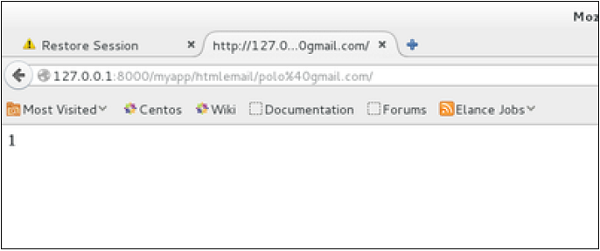
When accessing /myapp/htmlemail/polo@gmail.com, we get −
Sending E-mail with Attachment
This is done by using the 'attach' method on the EmailMessage object.A view to send an e-mail with attachment will be −
from django.core.mail import EmailMessage
from django.http import HttpResponse

def sendEmailWithAttach(request, emailto):
   html_content = "Comment tu vas?"
   email = EmailMessage("my subject", html_content, "paul@polo.com", emailto])
   email.content_subtype = "html"

   fd = open('manage.py', 'r')
   email.attach('manage.py', fd.read(), 'text/plain')

   res = email.send()
   return HttpResponse('%s'%res)
Details on attach arguments −
- filename − The name of the file to attach.
- content − The content of the file to attach.
- mimetype − The attachment's content mime type.


No comments:
Post a Comment