
Events in its simplest form is handled with the help of commands. A
simple example for event handling is event handling with button and is
shown below −
 A simple program to show delay text animation event is shown below −
 You can cancel an event using the after cancel command as shown below −
#!/usr/bin/wish

proc myEvent { } {
   puts "Event triggered"
}
pack [button .myButton1  -text "Button 1"   -command myEvent]
When we run the above program, we will get the following output −
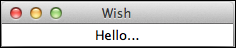
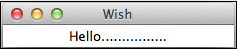
A simple program to show delay text animation event is shown below −#!/usr/bin/wish proc delay {} { for {set j 0} {$j < 100000} {incr j} {} } label .myLabel -text "Hello................" -width 25 pack .myLabel set str "Hello................" for {set i [string length $str]} {$i > -2} {set i [expr $i-1]} { .myLabel configure -text [string range $str 0 $i] update delay }When we run the program, we will get the following output in animated way −
Event after delay
The syntax for event after delay is shown below −after milliseconds number commandA simple program to show after delay event is shown below −
#!/usr/bin/wish

proc addText {} {
   label .myLabel -text "Hello................" -width 25
   pack .myLabel
}
after 1000 addText
When we run the program, we will get the following output after one second −
You can cancel an event using the after cancel command as shown below −#!/usr/bin/wish proc addText {} { label .myLabel -text "Hello................" -width 25 pack .myLabel } after 1000 addText after cancel addText
Event Binding
The syntax for event binding is as shown below −bind arguments
Keyboard Events Example
#!/usr/bin/wish

bind .  {puts "Key Pressed: %K "}
When we run the program and press a letter X, we will get the following output −
Key Pressed: X
Mouse Events Example
#!/usr/bin/wish

bind .  {puts "Button %b Pressed : %x %y "}
When we run the program and press the left mouse button, we will get an output similar to the following −
Button 1 Pressed : 89 90
Linking Events with Button Example
#!/usr/bin/wish

proc myEvent { } {
   puts "Event triggered"
}
pack [button .myButton1  -text "Button 1"   -command myEvent]
bind .  ".myButton1 invoke"
When we run the program and press enter, we will get the following output −
Event triggered


No comments:
Post a Comment